There is a short list of text you have typed hundreds of times. Your address. Your VAT number. The bank details you send to clients. The SSH command with the right flags. The paragraph you write to decline a meeting politely. The regex you always get wrong on the first attempt.
None of it is hard to type. That is exactly why it never gets fixed. Each instance costs fifteen seconds, and fifteen seconds never feels like it justifies solving anything.
Why this is not the same as clipboard history
They look like one feature. They are opposites, and conflating them is why people install a clipboard manager and still retype their address.
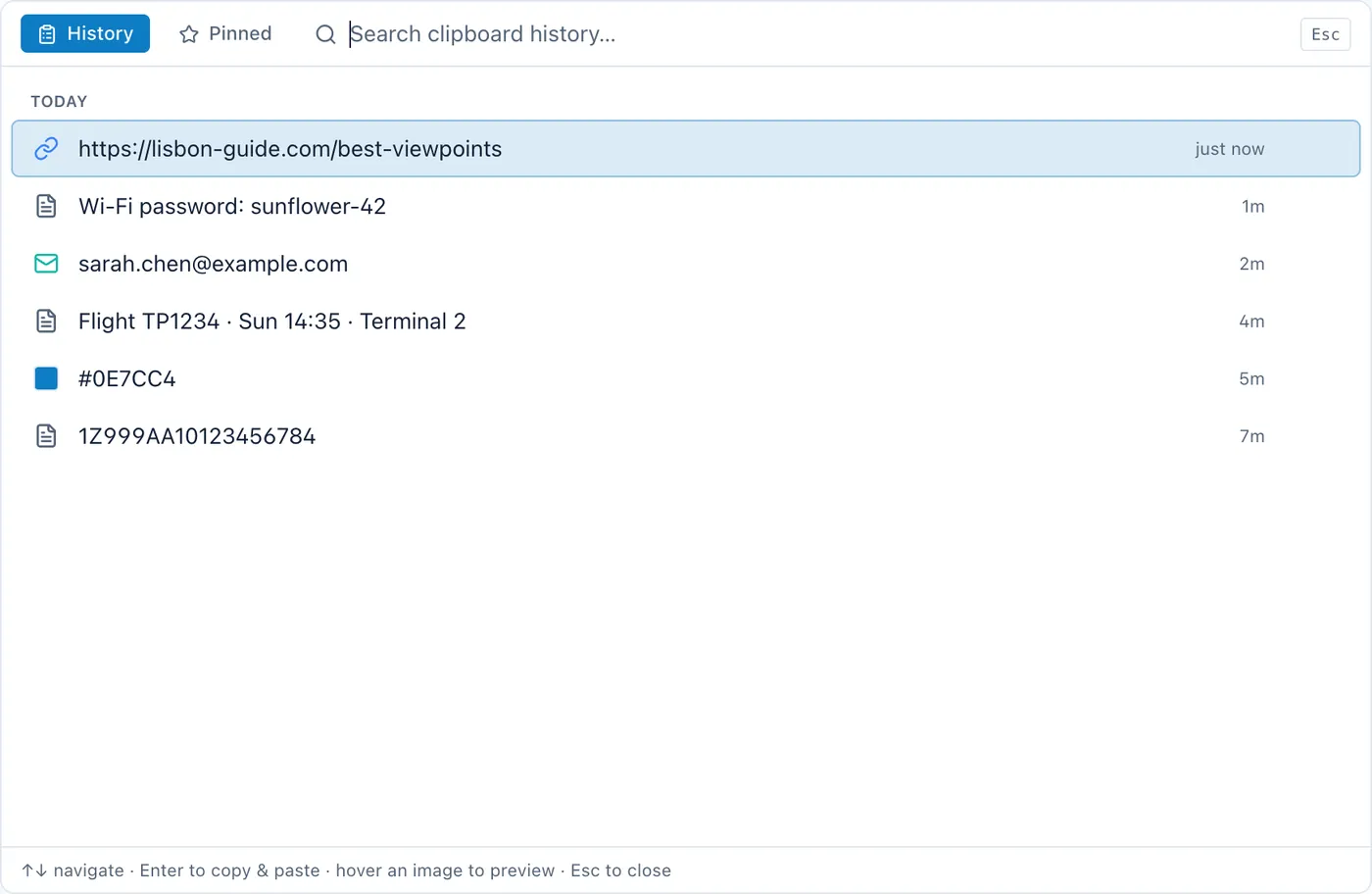
Clipboard history is a record of the past. Everything you copied, newest first, mostly noise, occasionally the thing you copied twenty minutes ago and then overwrote. It answers "what did I copy earlier". Its defining property is that it fills up and scrolls away. That is the design working, since the whole point is recency.
Snippets are a chosen library. A small number of items you decided to keep, which do not scroll away, because they are not from anywhere. They answer "give me the thing I always need". Their defining property is stability.
Put them in the same list and each ruins the other: your address sinks under four hundred URLs within a day, and the history gets cluttered with pinned items that are not part of the story it is telling. The apps that get this right keep two lists with two shortcuts. The apps that get it wrong offer one list with a star icon, and nobody's address survives the month.
What actually belongs in a snippet library
The test is simple: would you be annoyed to lose it, and do you produce it from memory more than once a month?
That usually comes out as:
- Identity boilerplate. Address, phone number, company registration, VAT or tax number, bank details, the exact spelling of your own job title.
- Commands with flags. The
sshline, theffmpegincantation, thersyncwith the trailing slash that matters. Anything you once spent an afternoon getting right. - Replies you send often. Declining politely. Chasing an invoice. The onboarding paragraph every new client gets.
- Structural text. A meeting agenda skeleton, a commit message format, the standard header for a document.
- Things that are hard to type correctly. An em dash. A character your keyboard does not have. A long ID you would transpose two digits of.
Twelve to twenty items covers almost everyone. If your library reaches sixty, it has quietly become a notes app with worse search, and the items past twenty are ones you will never find in time to use.
What does not belong
Anything secret. Passwords, API keys, recovery codes. A snippet library is a convenience feature with a keyboard shortcut, usually stored in plain text, and reachable by anything running as you. Those belong in a password manager, which is built for exactly this and encrypts at rest. The convenience is not worth it, and the failure mode is not recoverable.
Worth knowing on the same subject: well-behaved clipboard managers on macOS honour the flag password managers set to mark a copy as private, so a copied password is not recorded in the history. That is the correct behaviour, and it is worth verifying in whatever you use: copy a password, then open the history and check it is not there.
Things that change. A snippet with last quarter's figures in it is a trap: it works perfectly, silently, with the wrong number.
Anything you would need to read before pasting. If you have to check the snippet is the right one, it is a note, not a snippet. Snippets are for text you trust without reading.
Snippets versus text expansion
Two mechanisms, and it is worth knowing which you want.
Text expansion replaces an abbreviation as you type: you type ;addr and your address appears. macOS has this built in under Keyboard settings, and dedicated tools go much further with variables, dates and fill-in fields. It is the fastest possible route: zero interruption, no window, no picking.
The cost is that you have to remember the abbreviation. For five items you use daily, you will. For twenty items you use monthly, you will not, and an expansion you cannot remember is an expansion that does not exist. There is also the occasional indignity of an abbreviation firing inside a real word.
A picker — a shortcut that opens a small window of your snippets, and you choose — costs one extra second and requires remembering nothing. That makes it the right shape for the long tail, and it degrades gracefully: if you cannot remember which snippet you want, you can look.
Most people who use both end up with expansion for the daily five and a picker for the rest.
The detail that decides whether you use it
Where the pasted text lands.
A snippet tool is used while you are in another app: the email, the terminal, the form. If picking a snippet means switching to the snippet app, copying, switching back, and pasting, you have replaced fifteen seconds of typing with fifteen seconds of window management and you will stop within a week.
The version that works: a global shortcut opens a small window over whatever you are in, you pick, it pastes into the app you were in, and that app is in front again with focus where you left it. No visible switch. It is the same design requirement as a clipboard history that comes to you rather than making you go to it, and it is the single thing worth testing before you commit to any tool in this category.
The honest version
If you want serious snippet management — variables, cursor positions, date maths, per-app rules, shared team libraries — a dedicated tool is the answer. TextExpander and Alfred have spent many years on this, and Raycast has a well-liked free tier that covers snippets and clipboard history together. None of that is being out-featured by a panel bundled into a notes app.
What the bundled version is for is the ordinary case: fifteen items, no variables, reachable without leaving what you were doing. That case is most people, and the deciding factor is whether the thing appears over your email and puts you back where you were, not depth of features.
Cyanote keeps the two lists separate and gives each its own shortcut: ⌥⇧V opens the clipboard history over whatever app you are in, ⌥⇧B opens pinned snippets, and both paste into that app and hand the foreground back. Copies your password manager marks as private are never recorded at all. Everything lives in the same local database as the notes, which means the snippet library is on your disk and in your backup rather than in a service.