A job search turns into an administrative problem faster than anyone expects. Forty applications, each with its own multi-stage process, its own contacts, its own version of your CV, and its own set of things somebody said on a call three weeks ago that you now cannot recall.
Meanwhile you are doing this in the evenings, around a job you still have, in a state of low-grade stress that is not conducive to remembering anything.
The spreadsheet everyone starts with is the right instinct and the wrong shape. It handles the list well and the content badly, and the content is what you actually need at the moment it matters: sitting down before a call, trying to remember what this company does and what you said last time.
What a job search actually needs
Three things, and a spreadsheet only does the first.
A view of where everything is. Applied, screening, interviewing, offer, rejected. One glance, no scrolling. This is genuinely the thing a spreadsheet is worst at, because a spreadsheet shows you rows and you need columns of stages.
A place for everything you know about each company. What they do, who you spoke to, what they asked, what you said, what the salary conversation was, what you liked and did not. This is prose, and prose in a spreadsheet cell is unreadable.
A follow-up that will not be forgotten. Dated, surfacing on the day, not living in your head at 2am.
The board
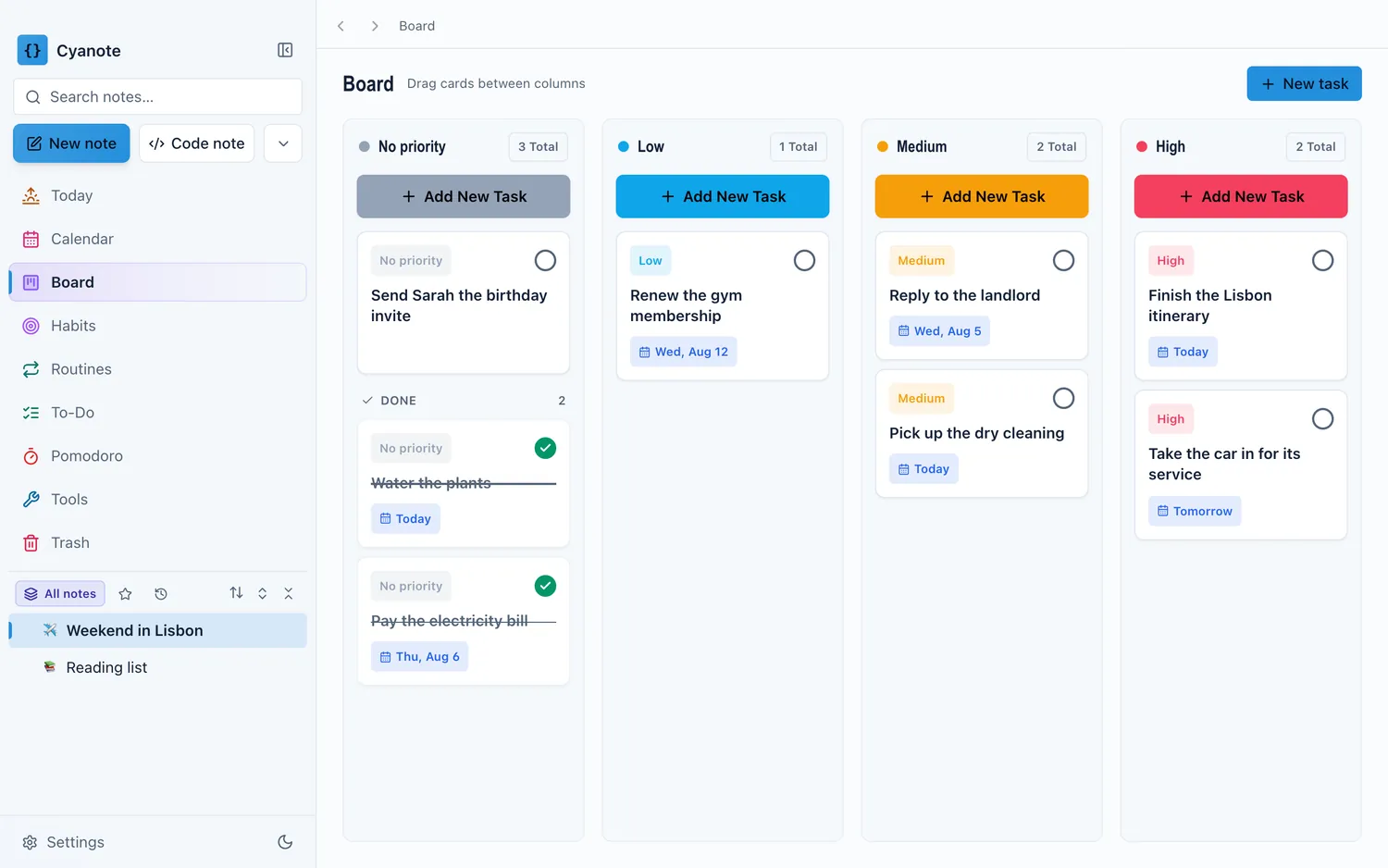
Columns as stages, one card per application. That is the entire tracking system.
Applied → Screening → Interviewing → Offer, plus a Rejected column that you do not delete from, because the record is useful later and deleting rejections makes the board a monument to only the parts that went well.
The reason a board beats a list here is that the question is always "what stage is everything at". The board answers it without you reading anything. A list makes you scan a status column and assemble the picture yourself, forty times.
Keep the cards short. The card is a pointer; the substance lives in the note.
One note per company
Not per application, and not per interview. Per company, growing downward, exactly like a client note.
At the top: what they do in your own words, the role, the link to the posting (copy the text of it too — postings disappear the moment they close, often right before your final round), the salary range if stated, which version of your CV you sent, and where you found it.
Below: dated entries. Every call, every email, every name, every thing they said about the team or the timeline. Written within ten minutes of hanging up.
The reason this beats a spreadsheet is one specific moment: it is 9:50, you have a call at 10, and you need to remember what this company does, who you are speaking to, and what you told them last time. Open one note, read for ninety seconds, done. Any other arrangement means assembling that from three places while the call is starting.
What to write after every conversation
Ten minutes, while it is fresh, and this is where the whole system pays.
Who you spoke to, name and role, spelled correctly. You will need it for the thank-you email and for the next round.
What they asked. Especially anything that caught you out. This is the single most useful thing in the note, because the same question will come up at the next company and you will have a better answer ready.
What you said about salary, notice period, and why you are leaving. You must be consistent across rounds, and after six conversations you genuinely will not remember which version you gave to whom.
What you learned about them that is not on the website. Team size, what the last person in the role did, what they said when you asked what goes wrong.
How it felt. One line. Job searches distort judgement — an offer in hand makes everything look better and a rejection makes everything look worse — and the contemporaneous note is the only record of what you thought before the outcome existed. It is a small decision journal and it is exactly what you want when comparing two offers in a fortnight.
Follow-ups
Every conversation produces one dated task, immediately.
"Email Priya at Northwind thanking her, ref the platform question, by Thursday." Not "follow up with Northwind", which is a topic. The action, the person, the reason, the date — written as one sentence in the thirty seconds after the call, because that is the only moment it will get written.
And a second task for the chase: if they said two weeks, put "chase Northwind" at two weeks and one day. Recruiters are busy, timelines slip, and a polite chase on the day is the difference between a process that stalls and one that moves. It also spares you the daily background cost of wondering whether today is the day to chase.
What this is also for
Something people realise afterwards: the notes are the raw material for the next search.
The questions you were asked, the answers that worked, the salary numbers that were actually on the table, the things you learned to ask about. All of it is a genuinely valuable body of information, and almost everybody deletes it in the relief of having finished. Keep it. In three years it will save you a fortnight of relearning.
Keep the rejections too, with what you thought the reason was. Patterns across ten rejections tell you something no individual rejection does.
The honest version
A spreadsheet works. If you have six applications and a good memory, use one and do not build a system.
The threshold where this pays off is somewhere around fifteen applications, or the first time you arrive at a call unable to remember which company you are speaking to. Past that point the bottleneck is not tracking, it is context, and context is prose.
Cyanote covers both halves in one window: a board for the stages, notes for the substance, tasks with dates lifted out of the sentence you typed, and full-text search across everything you wrote so "who was the one with the four-day week" is one query. It is a local database on your own computer with no account and no sync, which for a job search you are conducting while still employed is the practical consideration, not a philosophical one.