Here is the whole problem with to-do apps, in one moment.
Something occurs to you. You have about four seconds of willingness before the thought is gone and you are doing something else. In those four seconds a good app takes a sentence. A bad one takes a sentence, a date picker, a dropdown for priority, a project selector and a save button.
The four seconds are not negotiable. Everything else in the design has to fit inside them.
What natural-language entry actually is
You type pay rent tomorrow 9am !high into one field. The app reads the words, pulls out the date, the time and the priority, and creates a task called "Pay rent" due at nine tomorrow morning, marked high.
That is the entire feature, and it sounds like a convenience. It is not. It is the difference between a to-do list that gets used and one that gets abandoned, because it collapses five interactions into one and lands the whole thing inside the four seconds.
The alternative is not "slightly slower". The alternative is that you skip the date, because the date is another two clicks, and a task with no date is a task that does not appear on any day, which means the list becomes a graveyard of undated intentions and you stop trusting it. Undated tasks are how to-do lists die.
Why it also breaks things
Every parser is a guess, and the guesses fail in a specific, annoying way.
You type call Mark about the May figures and the app helpfully schedules it for 1 May. You type read the March report and it does the same. The word was part of the thing, not part of the schedule, and the app cannot tell. English does not mark the difference.
This is the failure that makes people turn natural-language entry off, and the fix is not a better parser. It is visible, reversible parsing. The app shows you what it extracted, as something you can see and dismiss — a chip, a highlight, a token in the field — before or right after the task is created. Then a wrong guess costs one click to undo instead of a task that silently shows up on the wrong day in six weeks.
Compare that with the invisible version, which quietly rewrites the title and tells you nothing. That app is not faster. It is faster and occasionally wrong in a way you will find out about later, which is worse than slow.
The grammar worth learning
There is a small vocabulary that most apps agree on, and it is worth ten minutes because it covers nearly everything.
| You type | What it should become |
|---|---|
tomorrow, friday, next tuesday | a due date |
9am, at 14:30, tonight | a time on that date |
!high, !!, p1 | a priority |
every monday, daily | a repeat |
Two habits make the difference in practice. Put the schedule at the end — parsers are most reliable on trailing date phrases, and it keeps the words at the start as the actual title. And write the title as a verb phrase: "Pay rent", not "Rent". A list of nouns is a list of topics; a list of verbs is a list of things you can start.
Where the task goes afterwards matters as much
Fast capture into a bad list is just a faster way to build a pile.
What makes the pile navigable is grouping by when, not by project. Overdue, today, this week, later. That ordering answers the only question you have when you open a to-do list on a Tuesday morning, which is "what is actually mine today". Project grouping answers a question you ask once a week, at most, and it is the wrong default for the other six days.
The same tasks seen a different way is a separate and legitimate need. That is what a board is for, and I have written about running a personal kanban board without turning it into project management. The point is that both views should be the same tasks, not two lists you maintain.
What to check before you commit
- Does it show you what it parsed? The single most important question. Invisible parsing is a slow-motion trust problem.
- Can you dismiss one part and keep the rest? Wrong date, right priority, should be one click — not "clear and retype".
- What happens with no schedule at all? Typing a bare sentence and pressing return should produce a plain undated task, not an error and not a form.
- Does the reminder follow the task, or is it separate? In some apps a due date and a reminder are two different fields, which means every genuinely time-sensitive task takes two passes.
- Is capture reachable from anywhere? A capture box that requires the app to be in front of you is capture that will not happen during the four seconds.
The honest version
If you run serious project management — dependencies, delegation, cross-project rollups, other people's tasks — a general app's to-do list is not the tool, and pretending otherwise wastes your month. Things and OmniFocus have spent well over a decade on exactly this on Apple platforms, and their parsers, their review flows and their project models are deeper than anything bundled into a notes app will be.
What the bundled version is for is the far more common case: a few dozen personal tasks, most of them small, most of them attached to something you were already writing down. In that case the deciding feature is not the project model. It is whether typing one sentence produces a task on the right day.
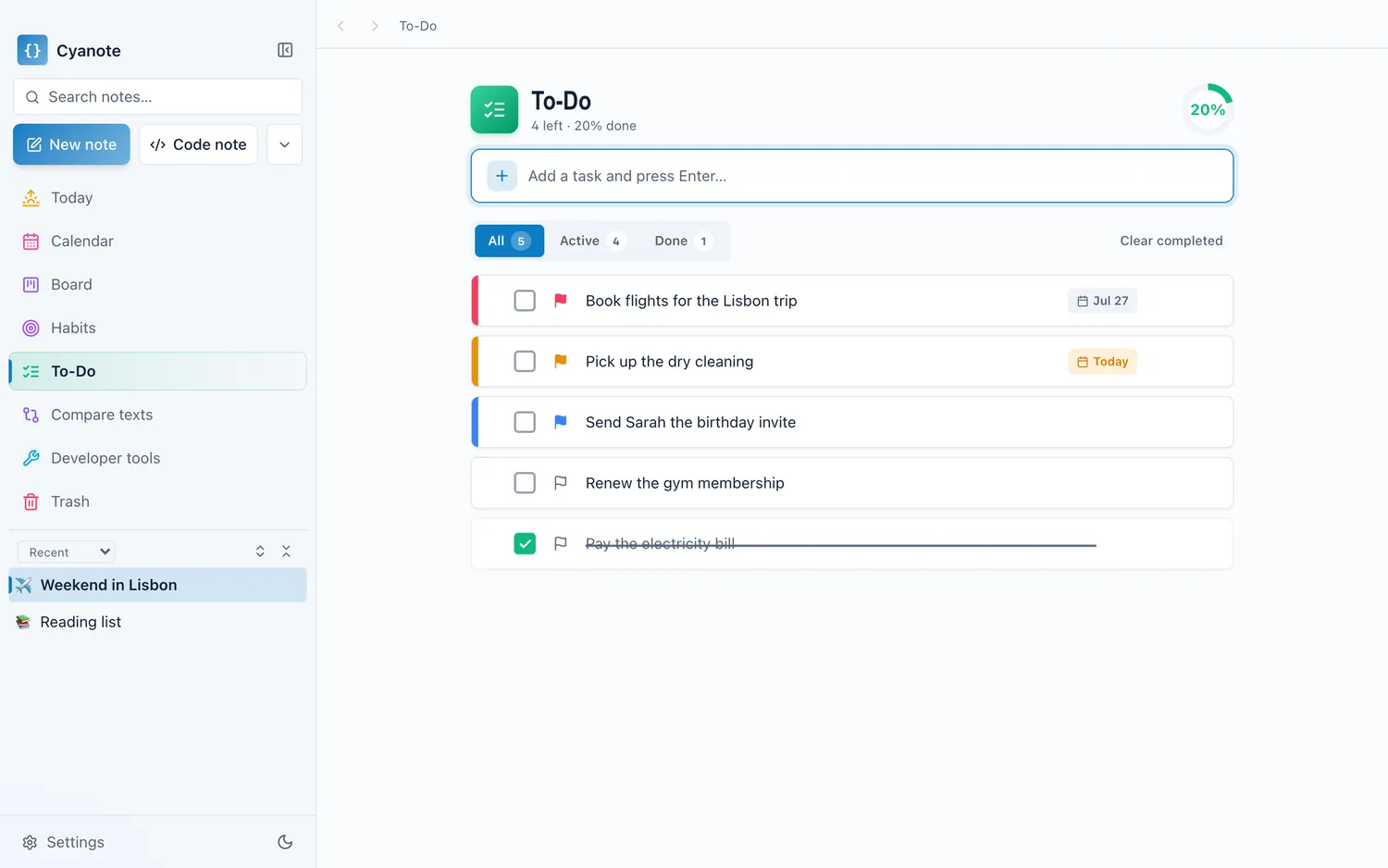
Cyanote parses the sentence as you type it — date, time and priority lifted out of the words and shown as chips you can dismiss — and drops the task into a list grouped by when things are due, with the same tasks available as cards on a board. Reminders sit on the task rather than beside it. It all lives in one SQLite database on your own computer, with no account, which means the four seconds never include waiting for a server.