There are forty tabs open. You cannot read the titles. You are not going to close them, because each one is there for a reason, and you cannot remember most of the reasons.
Some have been open for weeks. At least one is a thing you were going to buy in March. You have started opening new windows because the old one is full, and there are now three windows in the same condition.
This is not a browser problem. Open tabs are a to-do list — with no dates, no priorities, no search, and a permanent memory cost — and treating them as a browser problem is why every solution so far has failed.
The four reasons a tab is open
Every tab is one of these, and the fix is different for each. Naming which one is most of the work.
It is a task. "Cancel this", "reply to this", "buy this". You kept it open because closing it would lose the intention.
It is reference for something you are doing right now. Documentation, a spec, a page you are working from. Genuinely in use, genuinely temporary.
It is something you want to read. An article, a long post, a thing someone linked. You will not read it today and you both know it.
It is a fact you might need. A booking, a code, a piece of information you will want to look up once.
The reason tab managers fail is that they treat all four as one kind of object — a saved link — when three of the four are not links at all. A task is a task. A fact is a note. Only the reading list is genuinely a list of links.
The fix for each
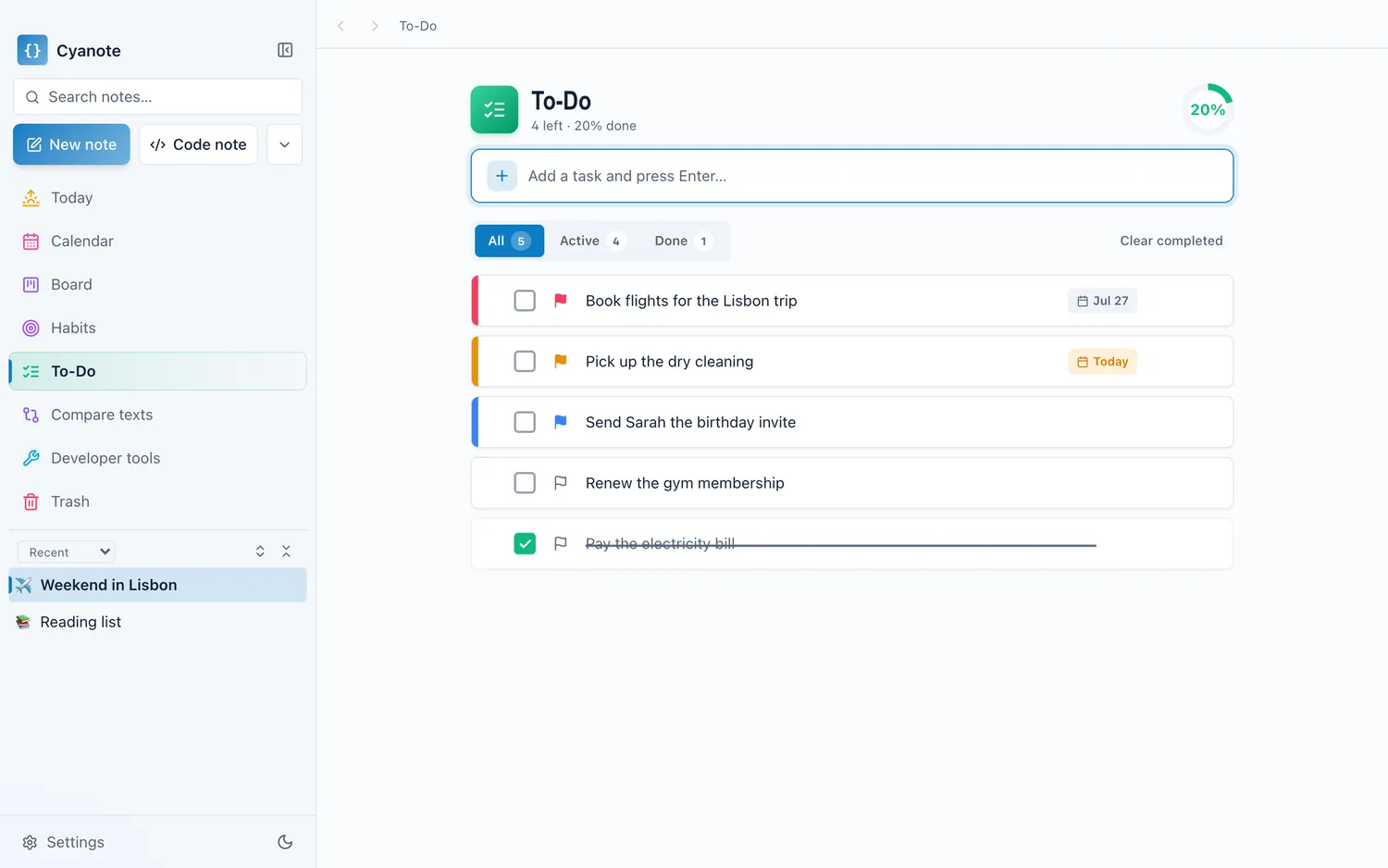
Tasks become tasks. With a date. "Cancel the gym membership, Friday." One sentence, thirty seconds, and the tab closes. This is usually a third of your tabs, and it is the category where the browser is doing the worst job. A task with no date and no list is not tracked, it is just visible, and visibility is not tracking.
Reference stays open, and closes when the work does. This is the legitimate use and it needs no system. The rule that helps: when you finish the piece of work, close its tabs, deliberately. It is the same reason a shutdown routine works. A closing ritual is what stops today's context becoming tomorrow's clutter.
Reading goes on one list, and the list gets pruned. Not bookmarks, which is where links go to die alphabetically. One note, or a read-later service, and — this is the part everyone skips — an eviction rule. Anything on it for six months that you have not read, delete. You are not going to read it. The list works only if it is short enough to look at, which is the same lesson as a someday list.
Facts become notes, in text. Copy the booking reference, the code, the address into a note. Do not keep the tab. A tab is a pointer to a page that may need a login, may change, may go away, and definitely needs a connection. Four words of text is more durable than the page they came from.
Why bookmarks did not solve this
Everyone has tried. Bookmarks fail for three specific reasons and it is worth knowing them, because they apply to any "save it for later" mechanism.
They are write-only. Things go in and nobody looks. A bookmark folder from 2021 is not a resource, it is sediment.
They preserve the link, not the reason. Six months later you have a URL and no idea why you saved it. The reason was the valuable part and it was never recorded.
They are not in the flow of anything. You do not open your bookmarks while working. You open your notes and your task list, which is exactly why the four categories should go there instead.
The fix for all three is the same: save the reason, not the link. One line of what it was and why, with the URL underneath. That is a note, and it is searchable, and it makes sense in a year.
The one-pass method
Twenty minutes, once. Not tab by tab. That is where people stall, because deciding forty times is exhausting.
Go through and sort into the four buckets, without acting. Fast. Task, reference, reading, fact.
Then act by bucket. All the tasks at once — a dated task each, close them. All the facts at once, one note, close them. Reading goes on one list. Reference stays.
Then close the window. Genuinely. The remaining tabs after this exercise are usually four or five.
Batching by category is the trick. Sorting is fast; deciding what to do is slow, and doing it once per category rather than once per tab is the difference between twenty minutes and never.
The memory question
Briefly, since it is the practical cost people notice.
Modern browsers suspend background tabs and reclaim most of the memory, so forty idle tabs cost far less than they used to. The "each tab is 300 MB" folklore is largely out of date. Where it still bites is on a machine with 8 GB running several other things, where the browser's share is competing with everything else.
The real cost is not memory anyway. It is that a window with forty tabs is unnavigable, so you open new windows, and now your working context is scattered across three of them. The friction is cognitive and it shows up as never quite knowing where anything is.
The honest version
You will do this and be back to thirty tabs within a fortnight. That is not failure. Tabs accumulate because working generates them, and a browser with four tabs is a browser belonging to someone who is not doing much.
What changes permanently is the habit at the moment of opening: noticing that this tab is a task, and writing it as a task rather than leaving it open as a reminder. That one substitution keeps the count from becoming forty, and it takes thirty seconds each time.
Cyanote covers three of the four buckets in one window: tasks with a date lifted out of a typed sentence, notes for the facts and the reasons, and a list for the reading with everything searchable a year later by any word in it. The fourth bucket — the tabs you are genuinely working from — should stay open, and closing them when the work is done is the one part no software can do for you.