You already have a clipboard manager and it cost you nothing. Then something did not work the way you expected, and now you are reading a page about alternatives.
So it is worth saying at the top: most of the time, the right outcome of that search is to close the tab and carry on. Maccy is free, open source and very well built. Raycast's clipboard history is free and already running if you use Raycast for anything else. Neither is a compromise you are putting up with until you can afford something better.
Both do have limits, though, and the limits are specific rather than vague. What follows is where each one stops, so you can hold your own annoyance up against the list and see whether it is on it.
Start by naming the thing that annoyed you
Describe the moment before you compare anything. Not "I want something better", but the actual failure: the item you went looking for and could not find, the setting you opened the preferences for and it was not there, the copy that came back as the wrong kind of thing.
That description does most of the work. Quite often it turns out to be a hotkey you never set, or a preference sitting two clicks away, and the alternative you were about to install would have needed the same five minutes of setup.
The rest of the time it is a decision the app made on purpose, which no future release will reverse. Those are the ones worth knowing about in advance, because they are the only ones switching apps can fix.
If you are earlier than this and the real question is what the Mac keeps on its own, that is the piece to read first.
Where Maccy stops
Maccy stops at text, and at one machine. Both are deliberate.
It keeps text, by design
Maccy is text-focused on purpose. Copy an image expecting to find it in the history an hour later and it will not be there, and that is not an oversight waiting on a release. It is a decision about what the tool is, and a defensible one. A text-only history is smaller, faster and much easier to reason about, because you always know what kind of thing is in it.
The mismatch is still real if your work is visual. Designers, people assembling documents, anyone moving screenshots between apps all day: you will meet this on the first afternoon and keep meeting it. That is a genuine reason to use something else. It is not a fault in Maccy, and choosing a different app over it does not mean the app you leave was bad.
It is local only, with no sync
Maccy keeps the history on the Mac it is running on. For most people that is the feature rather than the limit. Think about what passes through a clipboard in a week: passwords on the way from a password manager to a login form, two-factor codes, private links that grant access to whoever holds them. Maccy respects the concealed-content flag password managers set, so those copies are declined rather than stored, and everything it does keep stays on one disk.
You hit the limit only if you genuinely work across two Macs and expect the history to follow you between them. That is a smaller group than it sounds, and worth being straight about: no local-first tool solves it, free or paid, because solving it means putting your clipboard on a server.
On price, checked 13 August 2026: Maccy is free and open source, with a $9.99 App Store build that exists as a way to support the work. Paying does not unlock anything. If you have been holding off on the paid version expecting features, that is the answer.
Where Raycast's clipboard stops
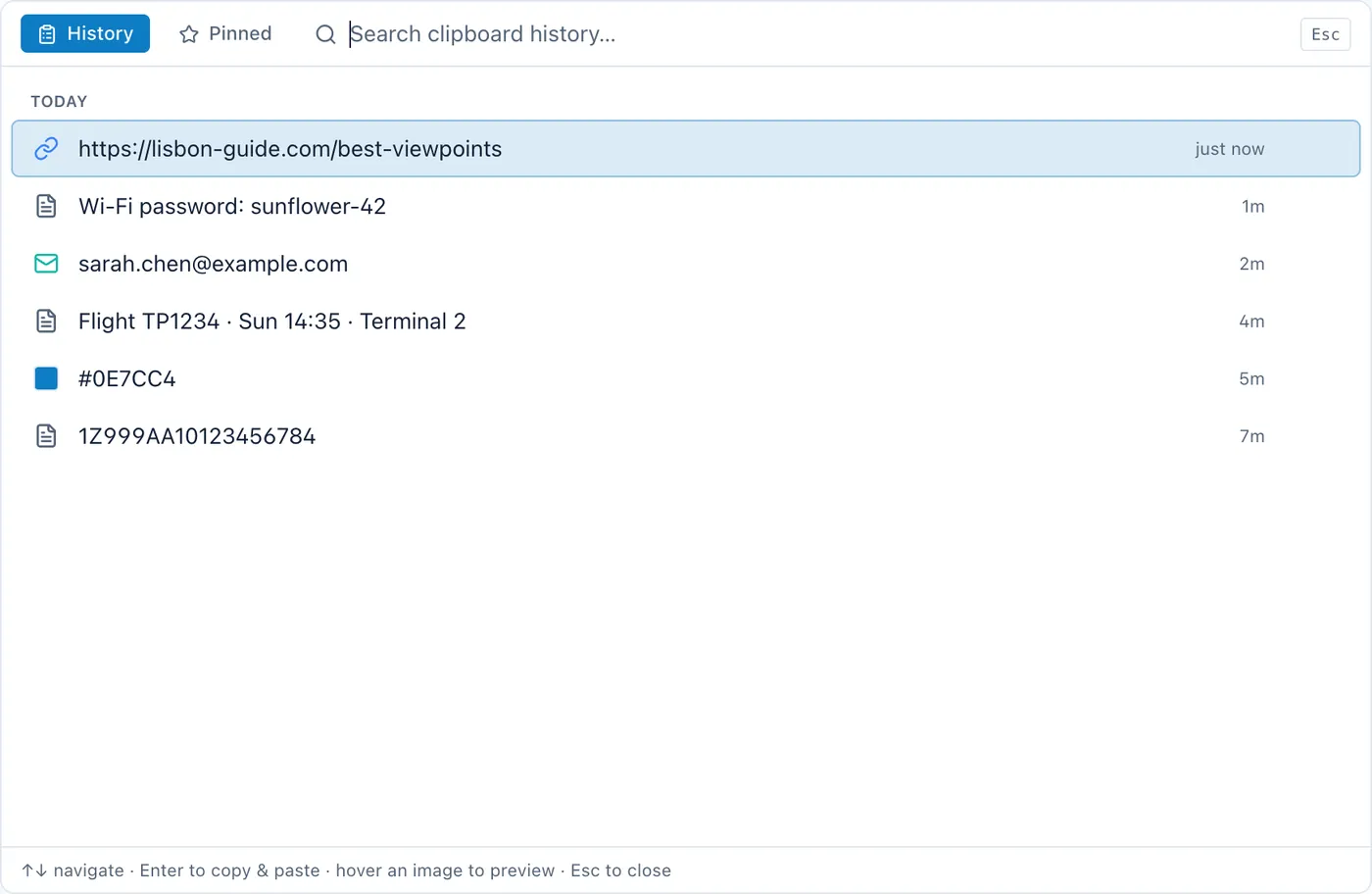
Raycast's clipboard stops at three months of history on the free tier, and at the fact that you cannot take the clipboard without taking the launcher.
Three months, and then it is gone
Checked 13 August 2026: Raycast is free, with Pro from $8 a month billed annually, and the free tier retains three months of clipboard history. Longer retention is part of what Pro buys.
Three months is a long time for a buffer. Almost everything you search a clipboard history for is minutes or days old: the paragraph you copied over, the code from a text message, the reference you paste twice a week. Those never come close to the limit.
The people who do hit it know the feeling. It is "what was that address I copied in the spring", or going back to a project from last year and wanting the snippets you were pasting at the time. If that is you, the thing you want is not a clipboard manager with a longer buffer. It is somewhere permanent to put things, a different problem, and the subject of the next section.
Before you assume you need it, check. Search your history for something from six weeks ago and see whether you ever actually reach for anything that old.
The clipboard comes with the launcher
Raycast's clipboard history is one surface inside a launcher. If you already run Raycast, that is entirely a benefit: nothing extra to install, nothing extra in the menu bar, one hotkey vocabulary instead of two.
If you do not want the launcher, you cannot have only the clipboard part. That is architecture rather than a fault, but it does mean "I want a clipboard manager" and "I want Raycast running all day" are one decision, not two. Some people install Raycast for the clipboard, find they use nothing else in it, and quietly resent the size of what they are running. If that describes you, a small dedicated tool is the fix, and Maccy is the obvious one.
The limit they both share
Your clipboard history and the place you keep things permanently are two different applications, and you are the bridge between them.
Something worth keeping arrives in the history. You open the history, copy the item, switch to your notes app, paste it, give it a title, and go back to what you were doing. Each crossing is small. You make several a day, and the ones you forget to make are the reason you are searching a clipboard buffer for something from March.
Neither Maccy nor Raycast is trying to solve this, and it would be odd if they were. A clipboard history is a buffer by definition, and a buffer that never forgets is just an unsorted archive of everything you have ever copied, including the things you would rather it had dropped. The question is only whether the boundary sits where you want it, and for plenty of people it does: copied things are temporary, kept things are typed on purpose, and the separation is doing useful work.
If you are shopping across the category generally rather than diagnosing one annoyance, the wider set of Mac clipboard managers is laid out here, prices included.
If none of this describes you
Then stay where you are. A free tool that does what you need is not a problem to be solved, and there is no version of this argument where you should pay to replace software that is already working. The limits above are narrow on purpose: text only, one machine, three months, one launcher. If you read all four and recognised none of them, you have not hit a limit. You have hit a Tuesday.
And if you did recognise one, the fix is usually smaller than a whole new workflow. An image-heavy day wants a manager that holds images. A launcher you resent wants a smaller tool beside it. Match the change to the thing that actually broke.
Cyanote is the option where the clipboard and the place things get kept are the same app — which removes the crossing described above — and it costs $7.99 once with no subscription and no account. The limitations are worth stating plainly: one machine, no sync, and a clipboard that lives alongside notes and to-dos rather than being the entire product. If you copy across two machines, or you want the best possible clipboard manager and nothing else, it is the wrong buy. Staying on Maccy or Raycast is a perfectly good decision, and for most people reading this it is the correct one.