Alfred's clipboard history is part of the Powerpack, Alfred's paid upgrade, which costs £34 once for a version 5 licence. It is off until you switch it on, keeps text, images and file references for 24 hours, 7 days, 1 month or 3 months, and has no setting to keep clips longer than that. It also stays on the Mac it was recorded on: Alfred's sync does not carry it to your other Macs. If you already own the Powerpack, turn it on; it is fast and well made. If you are buying the Powerpack only for the clipboard, it is worth knowing what else is on the table first.
I make Cyanote, which has its own clipboard history, so read the comparison parts with that in mind. Where Alfred is the better tool I say so, and in a few places it is.
The short version
- Clipboard history is not in free Alfred. It needs the Powerpack: £34 for a v5 licence, or £59 for the Mega Supporter licence, both one-time.
- The longest it keeps a clip is 3 months. The choices are 24 hours, 7 days, 1 month and 3 months.
- It is off by default and needs the Accessibility permission to paste for you.
- It skips password managers by default, both by app and by the "Concealed" marker that password managers attach.
- It does not sync. Alfred's own sync page lists clipboard history among the things that stay on each Mac.
- Alfred's snippets are better than most clipboard managers' snippets, because they can expand as you type.
- Free alternatives exist: Spotlight on macOS 26.1 keeps up to 7 days, and Raycast's free plan keeps 3 months.
What Alfred's clipboard history does
Alfred is a launcher. You press a hotkey, type, and it opens apps, finds files, runs calculations and searches the web. The clipboard history help page describes the clipboard as "part of the Powerpack", the paid layer that also unlocks workflows, snippets and the rest of the advanced features.
Once you have the Powerpack, this is what the clipboard does, all from that help page (read 14 October 2026):
- It starts disabled. "By default the Clipboard is disabled for privacy reasons." You switch it on in Alfred's Features preferences, with separate checkboxes for plain text, images and file references, so you can keep text and leave screenshots out.
- You choose how long it remembers. The dropdown offers 24 hours, 7 days, 1 month or 3 months. There is no "forever" option.
- You open it with a hotkey or a keyword, both of which you can set yourself, then type to filter and press Return to paste.
- It can merge clips. With merging enabled, holding ⌘ and pressing C twice appends what you copied to the previous clip. That is handy for gathering several lines from a long document into one paste.
- It can ignore large copies. You can set a maximum clip size, and anything bigger is skipped instead of filling the history.
- It clears in three sizes. Type
clearin Alfred to erase the last 5 minutes, the last 15 minutes, or everything. Fn + Delete removes a single item.
It is quick and it works well, within two limits: a ceiling of three months, and no way to get the history onto a second Mac.
What it costs
Alfred's Powerpack buy page lists two licences, both priced in pounds and both one-time:
- Single License, £34, marked "Single User" and "v5 License".
- Mega Supporter, £59, marked "Single User" and "Free Lifetime Upgrades".
There is no subscription, and that makes Alfred one of the better deals on the Mac if you use the rest of the Powerpack. Alfred 6 is on the way: the team announced it on 10 September 2026 and said that anyone who bought in 2026, or holds a Mega Supporter licence, gets the upgrade free. If you buy a Single License today, the price covers Alfred 5 plus that announced upgrade. What the version after that will cost is not something the page says.
Here is how the clipboard part compares with the alternatives most Mac users are weighing:
| Option | Price | Longest history |
|---|---|---|
| Spotlight, macOS 26.1 and later | Free, built in | 7 days |
| Alfred + Powerpack | £34 once | 3 months |
| Raycast, free plan | Free | 3 months |
| Raycast Pro | $10 a month or $96 a year | No limit |
| Cyanote | $7.99 once | Up to 1,000 items, no time limit |
Sources: Alfred's help and buy pages, Raycast's pricing page and Macworld on macOS 26.1, all read 14 October 2026. Alfred, Raycast and Cyanote all keep clipboard history on the one Mac: Alfred's sync page and Raycast's, even on Pro, list it as data that is not synced, and Cyanote has no sync at all.
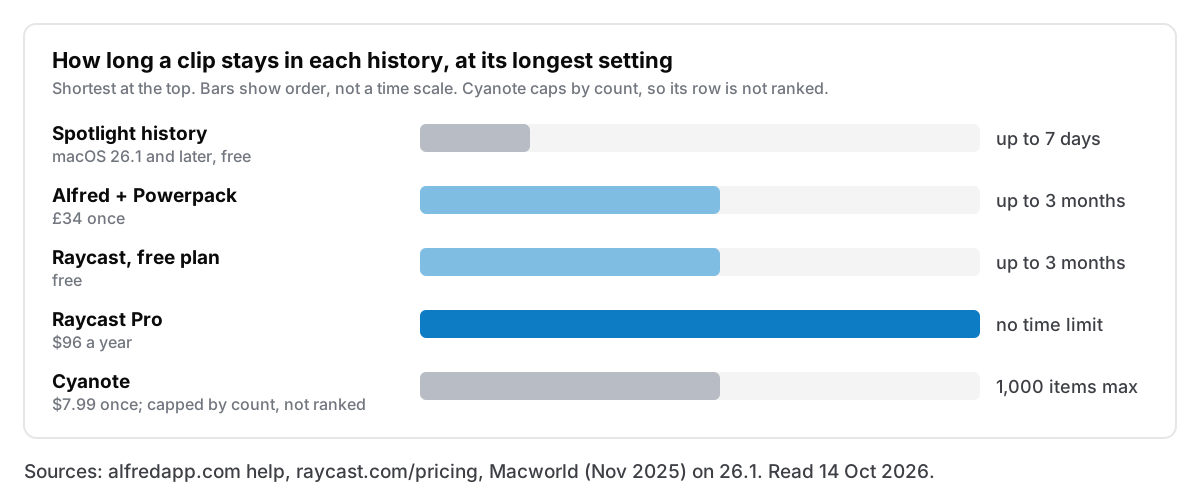
A time limit and a count limit are different promises
Alfred, Raycast's free plan and Spotlight all expire clips by age. Three months in Alfred means three months, whether you copied five things in that time or five thousand.
Cyanote, like many dedicated clipboard managers, caps the history by count. It keeps 500 items by default, and you can raise that to 1,000 in Settings. Nothing expires by date: a clip leaves only when newer copies push it past the limit, or when you clear it.
Which is longer depends entirely on how much you copy:
- At 10 copies a day, 1,000 items covers about 100 days. That is roughly the same as Alfred's three months.
- At 50 copies a day, 1,000 items covers about 20 days, and Alfred keeps far more history than Cyanote does.
- At 3 copies a day, 1,000 items covers most of a year, and the count limit wins easily.
So if you copy constantly and want the deepest possible history, Alfred's three months may beat Cyanote, and Raycast Pro beats both.
The way around either kind of limit is the same in every app: anything you will want again in six months should not be living in a clipboard history at all. Pin it, or turn it into a note. Cyanote keeps pinned snippets in their own list, separate from the history, so they never age out or get pushed out, and that is where things you mean to keep belong.
Snippets: where Alfred is ahead
If what you really need is to paste the same bits of text again and again, Alfred's snippets are the strongest part of this story, and they come with the same Powerpack.
According to the snippets help page, you group snippets into collections and give each one a keyword. You can then pick them from a list, or turn on auto-expansion so that typing the keyword anywhere replaces it with the full text. Expansion is off by default and switched on per snippet, and it does not fire in secure fields such as password boxes. Snippets can include placeholders, including {clipboard} for whatever you copied last. You can also save a text clip as a snippet from the Clipboard Viewer with ⌘S.
Cyanote's pinned snippets do not expand as you type. You open them with their own hotkey (⌥⇧B by default) and pick one. That is fine for a handful of snippets you paste every week, like an address or a standard reply. If you live on text expansion, with dozens of abbreviations that expand mid-sentence, Alfred does it and Cyanote does not.
Setting Alfred's clipboard up so it does not keep the wrong things
A clipboard history records everything you copy, including the things you would rather it did not. Alfred's defaults are sensible here, and a few minutes of setup makes them better.
- Leave the Concealed setting alone. Alfred ignores "clipboard data marked as Concealed" by default. That is the marker password managers attach to a copied password, and how that convention works, and where it fails, is worth five minutes of reading. You can tell Alfred to store concealed items. Don't.
- Check the Ignore Apps list. Alfred already skips Keychain Access and 1Password. Drag in any other app whose copies you never want recorded: a different password manager, a banking app, an admin console.
- Pick the shortest retention you can live with. Three months is the maximum, not a recommendation. If you only ever reach back a day or two, 7 days keeps the history useful and shrinks what is sitting on disk.
- Untick images if you do not need them. Screenshots and copied images are the bulk of any clipboard history. Text-only keeps things lean.
- Use
clearafter something sensitive. If you copy a key from a terminal or a code from an email, nothing marks it as secret. Typeclearin Alfred and pick the last 5 minutes.
Alfred clipboard history alternatives, and when Alfred is still the answer
Keep Alfred if you already own the Powerpack. You have paid for the clipboard history already. It is fast, it sits behind a launcher you use all day anyway, and adding a second clipboard app means two apps watching the same clipboard. That is the wrong trade.
Buy the Powerpack if you want what comes with it. Workflows, snippets with expansion and the rest of the Powerpack make £34 good value, and the clipboard comes along. If you want text expansion, this is one of the best ways to get it on a Mac.
Use Spotlight if a week is enough. On macOS 26.1 and later it is built in, free, and keeps clips for up to 7 days. If you rarely reach back further than yesterday, you may not need anything else. The details are in how to see clipboard history on a Mac.
Look at Raycast if you want a free launcher with history. Its free plan keeps three months, the same as Alfred's maximum, at no cost. I wrote about where Raycast's free history runs out separately.
Look at a separate app if the clipboard is the only part you want. If you would buy the Powerpack only for the clipboard and never touch workflows, you are paying for a launcher upgrade to get one feature.
That last case is where Cyanote fits. Its clipboard manager is one part of an app that also holds your notes, to-dos, calendar and habits, so the history sits next to the notes it usually ends up in. You can search the whole history, see copied images in their own view, pin what you paste often, and paste straight into the note you are writing. It opens from any app with ⌥⇧V. It honours the Concealed marker, it keeps everything in a local database on your Mac, and there is no account. Like Alfred, it needs the Accessibility permission to paste into the app you were using.
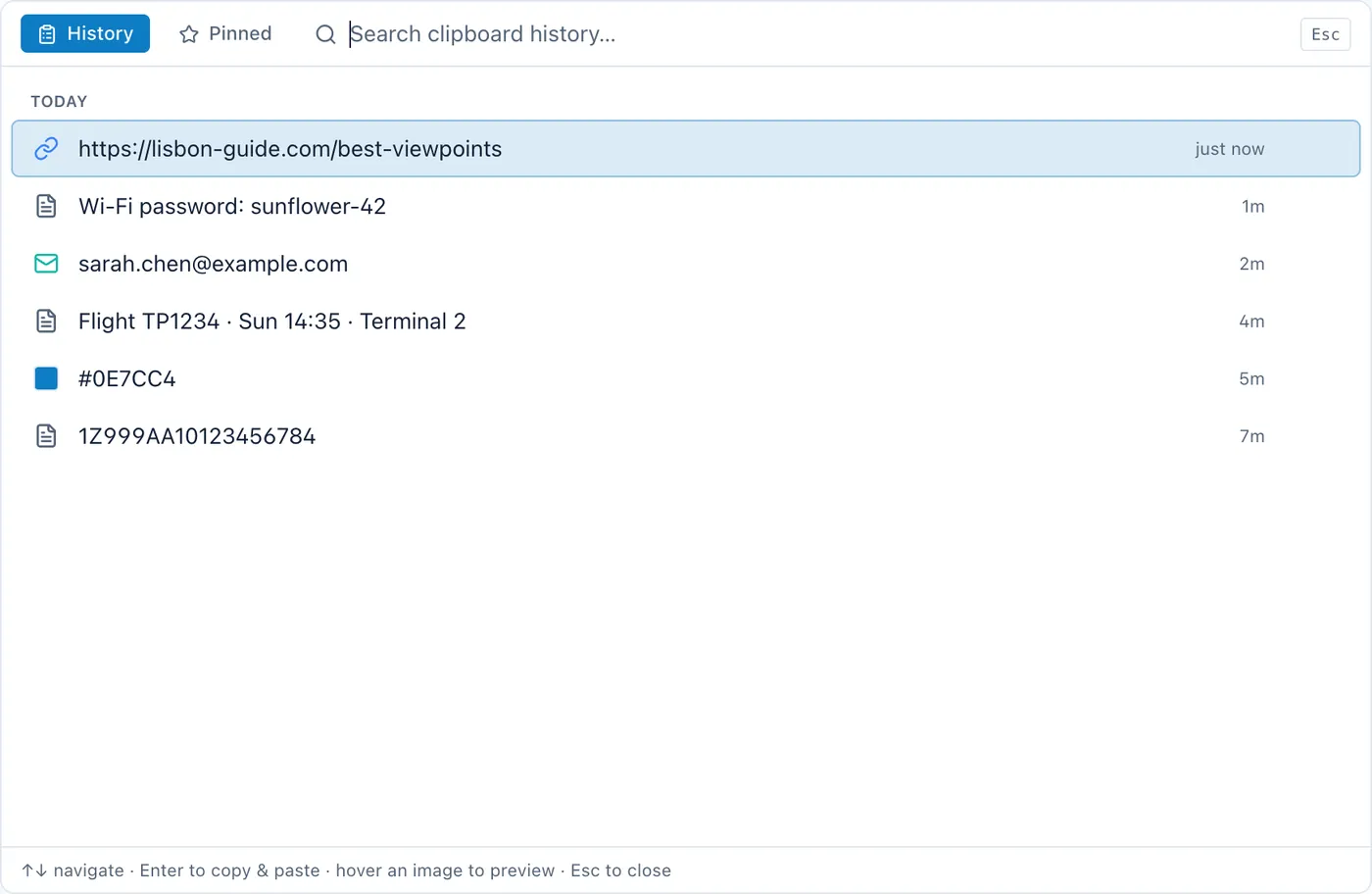
It is $7.99 once for the Mac, with no subscription and no account. There is also a Windows version on the Microsoft Store, sold separately at $7.99; buying one does not unlock the other. It is not a launcher. It will not open your apps, run workflows or expand snippets as you type. If you want those, you want Alfred or Raycast, and Cyanote's clipboard is the part you can skip.
Running Alfred and another clipboard app together
You can, but pick one to do the recording. If two apps both save every copy, each clip appears twice, the histories drift apart, and you never quite remember which hotkey holds what.
If you keep Alfred for launching and use another app for the clipboard, untick clipboard history in Alfred's Features preferences. Everything else in Alfred keeps working, snippets included, since Alfred stores them in a separate database from the clipboard, according to its clipboard troubleshooting page.
Questions people ask
Is Alfred's clipboard history free?
No. It needs the Powerpack, which costs £34 once for a version 5 licence, or £59 for the Mega Supporter licence. Free Alfred has no clipboard history.
Can Alfred keep clipboard history forever?
No. The longest setting is 3 months. For anything you want to keep longer, save it as an Alfred snippet, or put it somewhere meant for keeping things, such as a note.
Does Alfred sync clipboard history between Macs?
No. Alfred's sync help page lists "Clipboard History enabled and history data" among the settings that are not synced. Each Mac keeps its own history.
Does Alfred save passwords I copy?
Not by default. It ignores Keychain Access and 1Password, and it skips any clip a password manager has marked as Concealed. A password you copy from somewhere that does not mark it, like a text file or a terminal, will be recorded like any other text.