Who is writing this. I make Cyanote. Lunatask is the app on this site's comparison list I have the most respect for, because it takes privacy seriously in a way most productivity apps only claim to. Prices are dated and checkable on their pricing page.
The short version: Lunatask is an encrypted to-do list, habit tracker, journal and notes app that syncs across Windows, macOS, Linux, iOS and Android. It has a real free tier, costs $6 a month billed annually, and offers a $300 lifetime licence. Cyanote does notes, to-dos, a board, a calendar, habits, routines and a system-wide clipboard manager for $7.99 once, on one Mac, with no account and no sync at all.
Two different answers to the same question
This is the part worth understanding before any feature table, because it is the actual decision.
Lunatask's answer is encryption. Your data goes to a server, but it is encrypted such that the people running the server cannot read it. That buys you something Cyanote cannot offer at any price: the same private data on your laptop, your phone and your Linux desktop, everywhere, all the time.
Cyanote's answer is absence. There is no server, so there is nothing to encrypt in transit and no account to compromise. The database sits on your disk. That buys a different kind of certainty — not "they cannot read it" but "they do not have it" — and the price of that certainty is that it exists in exactly one place.
Neither is the correct answer. If you want your journal on your phone, absence is useless to you and encryption is exactly right. If your threat model includes "the company is acquired, or changes its terms, or goes away", a database on your own disk answers that in a way a promise cannot. I wrote about that ending separately, because it is more common than people expect.
The prices
| Plan | Price | What it covers |
|---|---|---|
| Lunatask Free | $0 | 2 areas of life, 7 daily habits, 30 relationships, notes, mood tracking, journaling, time blocking |
| Lunatask Premium | $6/mo billed annually, or $8/mo monthly | Unlimited areas and habits, calendar integrations, Eisenhower matrix, templates, energy and stress tracking |
| Lunatask Lifetime | $300 once | Premium, without renewals |
| Cyanote | $7.99 once | Everything; there is no tier |
USD, checked 14 August 2026. Lunatask offers a 50% student and teacher discount on request.
Two things about that table deserve saying plainly rather than being quietly skipped.
The free tier is genuinely useful. Seven daily habits, notes, journaling and mood tracking at $0 covers a real person's real use. If that fits you, Lunatask is free and Cyanote is $7.99, and I am not going to pretend $7.99 beats free on price.
The lifetime licence is $300. That is nearly thirty-eight times Cyanote, and it is the honest comparison for anyone who — like me — would rather buy software than rent it. It is not an unreasonable price for a cross-platform encrypted sync service maintained indefinitely; that infrastructure has a real cost and $300 is a fair attempt at charging it once. It is simply a very different proposition from $7.99.
What Lunatask does better than Cyanote
It is everywhere. Windows, macOS, Linux, iOS, Android. Cyanote is one app on one Mac. If you have ever wanted to log a habit from your phone, this row decides it.
End-to-end encryption with sync. Cyanote has no equivalent because it has no sync — that is a different design, not a better one.
It goes deeper on the human side. Mood tracking, journaling, energy and stress levels, relationship tracking, an Eisenhower matrix, automatic prioritisation. Cyanote tracks habits and runs routines; it does not attempt to understand how you felt about them.
A real free tier. You can use Lunatask indefinitely without paying. Cyanote has no free version — only a 14-day refund.
What Cyanote has that Lunatask does not
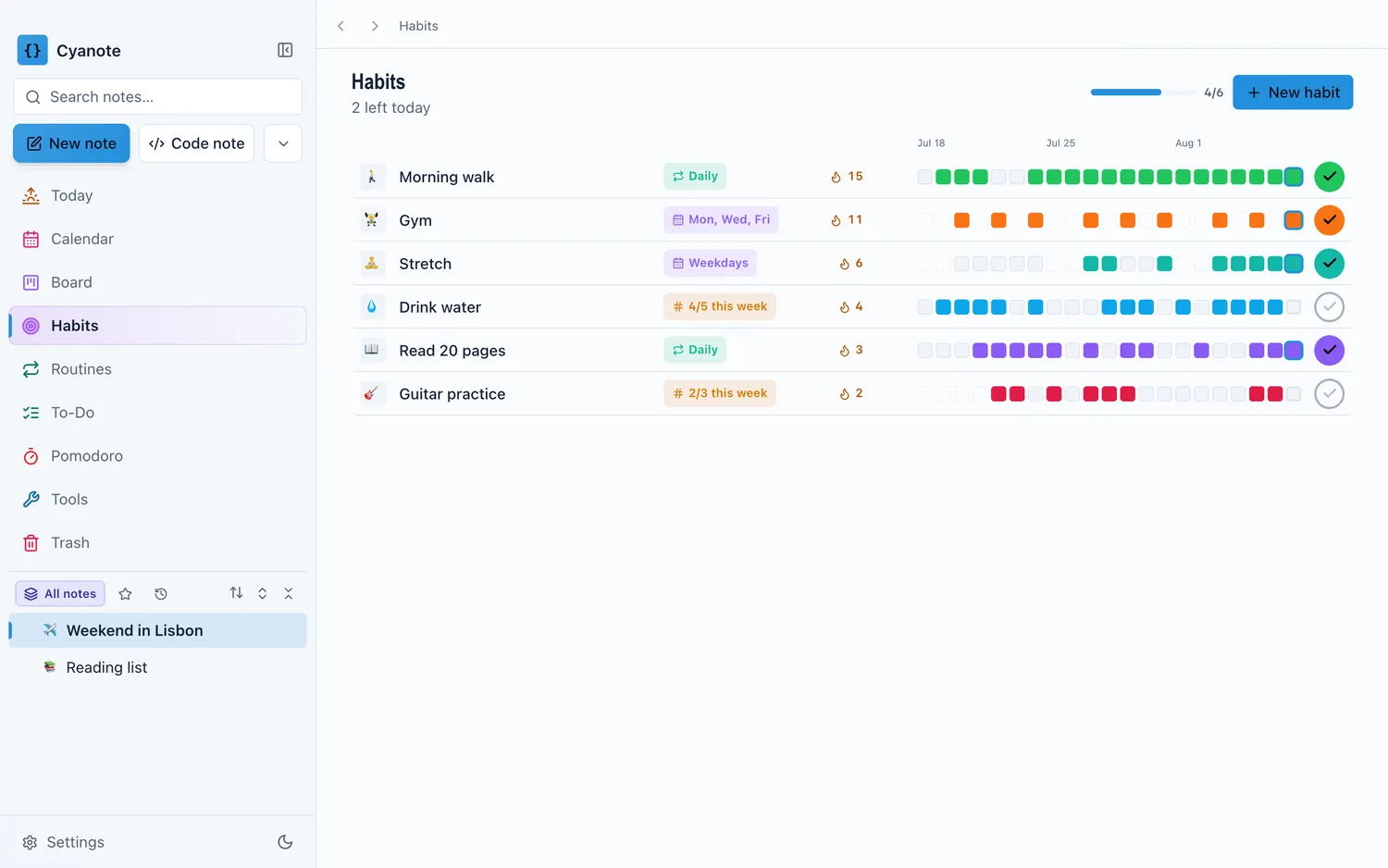
A system-wide clipboard manager. Lunatask does not have one. Neither does NotePlan, Notion, Brite or Agenda. Across every all-in-one productivity app worth comparing, the clipboard is the piece that stays a separate purchase — and here it is in the same window as the notes.
A built-in calendar. Lunatask integrates with your calendar on the Premium tier; Cyanote includes one.
Code notes with syntax highlighting, and a kanban board.
No account at all. Lunatask's encryption is excellent and still requires signing up. Cyanote has no sign-up step, because there is nothing to sign up to.
Feature by feature
| Lunatask | Cyanote | |
|---|---|---|
| Price | Free tier; $6/mo annually; $300 lifetime | $7.99 once |
| Platforms | Windows, macOS, Linux, iOS, Android | macOS, and Windows via the Microsoft Store (separate purchase) |
| Sync | Yes, end-to-end encrypted | None |
| Account required | Yes | No |
| Where data lives | Encrypted, on their servers | A database on your Mac |
| Notes | Notes and notebooks | Notes and code notes |
| To-dos | Yes, with auto-prioritisation | Yes, plus a kanban board |
| Calendar | Integrations (Premium) | Built in |
| Habits | 7 free, unlimited on Premium | Unlimited, plus routines and Pomodoro |
| Journaling and mood | Yes — a core strength | No |
| Clipboard manager | — | System-wide, unlimited history |
| Free tier | Yes, genuinely usable | No — 14-day refund instead |
Which one you should actually buy
Choose Lunatask if you use more than one device, you want your data on a phone, journaling and mood tracking are the point rather than a nice-to-have, or you are on Windows or Linux today. The free tier means you can test that properly without spending anything.
Choose Cyanote if you work on one Mac, you would rather your data had no copy anywhere else, you want the clipboard manager and the calendar included, and you would rather pay $7.99 once than $6 a month or $300 up front.
If you are torn, the deciding question is not about features. It is: do you need this on a phone? Answer that and the rest follows.
Moving over
Lunatask can export your data; Cyanote imports Markdown, so notes are the part that travels. Open Backup & Restore, choose Import Markdown, and select the files. Headings, lists, task lists, code blocks, quotes and links survive; images become alt text with a warning naming the file; tables arrive as the characters typed. Nothing is silently dropped.
What will not travel is the part Lunatask is best at — mood history, energy and stress logs, relationship records. Cyanote has nowhere to put those, and pretending otherwise would waste your afternoon. If that history matters to you, that is a strong reason to stay.
If it turns out not to fit, the refund is fourteen days and needs no reason.
The honest summary
Lunatask is a more ambitious product than Cyanote and a genuinely principled one. It is on every platform, it is encrypted, and it has a free tier that is not a trick.
Cyanote is the narrower trade: one Mac, no sync, no journal — and in exchange, nothing leaves the machine, the clipboard and calendar are included, and it costs $7.99 once instead of $300. If you want privacy through encryption everywhere, buy Lunatask. If you want privacy through the data never going anywhere, this is that.