Every notes app you have ever used will stop existing. Most of them will do it politely, with an email and an export tool and a date. That is the good outcome, and it is worth understanding exactly what the good outcome asks of you, because it is more than people expect.
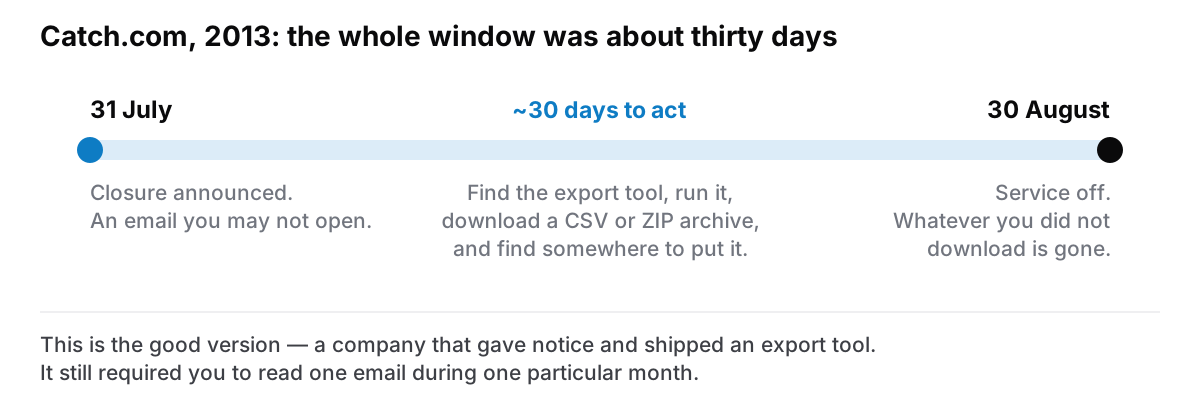
Here is a real one. On 31 July 2013, Catch.com — then a credible Evernote competitor — announced it was shutting down its note-taking apps. The service went off on 30 August. Users had roughly a month to find the export tool and pull down a CSV or ZIP archive of everything they had written.
That is a company behaving well. Notice given, tool provided, formats that other apps could read. And it still required every single user to open one particular email during one particular month, understand what it meant, and act.
The three ways it actually goes
The orderly shutdown. Notice, an export tool, a readable format, a deadline. Catch.com is the model. You lose nothing if you are paying attention, and everything if you are not.
The acquisition. Nobody switches anything off. The app stops getting updates, then stops working on the next macOS release, then one morning will not open at all. There is no email, because from the company's point of view nothing happened. This is more common than a shutdown and much harder to plan for, because there is no date to react to.
The quiet one. A small app from a developer who stopped. The website still resolves, the download link still works, and the last release was four years ago. Nothing announces itself. You find out when you upgrade your Mac.
Only the first of these sends you an email. The other two are the reason "they will let me know" is not a plan.
What does an export actually give you?
Getting a file out is not the same as keeping your notes, and this is where most people are disappointed.
The text usually survives. Plain prose comes through nearly every export intact. If all you have is paragraphs, you are mostly fine.
The structure usually does not. Nesting, links between notes, tags, folder hierarchies, and the relationships you built are the first thing lost in translation. Notion, for instance, exports to PDF, HTML, or Markdown and CSV, and a database of linked pages becomes a directory of files with the links rewritten or broken, depending on the format you picked.
Attachments are a coin toss. Images and files may come down alongside the text, may come as a separate archive, or may turn out to have been links to a server that is about to stop answering.
Dates and metadata rarely survive. Created and modified timestamps, which are how you find anything from four years ago, are commonly flattened to the export date.
So the honest way to think about an export is not "my notes are safe" but "my sentences are safe, and I will be rebuilding the shape of them by hand".
How do you know whether you could actually leave?
There is one question that sorts every notes app into two piles, and you can answer it in a minute:
If the company vanished tonight — no notice, no email, no export tool — could you still read what you wrote tomorrow?
If the answer depends on the company doing something for you, the answer is no.
Some cloud apps have thought hard about this and engineered around it. Standard Notes, for example, publishes an offline decryption script you can download and run in a browser precisely so that its own disappearance is survivable. That is a serious answer to a serious question, and it is rarer than it should be.
For a local-first app, the question is close to meaningless. The company vanishing changes nothing about the file on your disk. The app stops getting updates — which is a real loss, and worth being honest about — but your notes do not stop existing, because they were never anywhere else.
What to do this week, whichever kind of app you use
Run the export once, now, while nothing is wrong. Not to keep the file. To find out what your app's export actually produces, which is a thing you want to learn on a calm Tuesday rather than during a thirty-day countdown. Open the result. Look at whether the structure survived. Apple Notes, for instance, exports a copy of a note as a PDF, useful for reading, useless for moving into another app and editing.
Find out where the data physically is. For a local app this is a path on your disk. For a cloud app it is somebody's server, and the export is the only door. Either answer is fine. Not knowing which one you have is not.
Put the export somewhere your backups already reach. An export sitting in Downloads is not a copy of anything; it is one failed SSD away from being nothing.
Repeat it about twice a year. Not because the format changes often, but because this is the only way you find out that the export quietly broke.
The uncomfortable summary
Software you rent has a shutdown date you do not know yet. Software that runs on your own machine has one too, but it is the date you stop being able to run it, which is years of macOS releases away and entirely visible to you.
Neither is permanent. Nothing is. The difference is whether the end of the app is also the end of the notes, and whether you find out by reading an email or by choosing.
Cyanote, the app this blog belongs to, is on the second side of that line: the notes are a database file on your own computer, and a full export is a single JSON file you can take somewhere else. That does not make it permanent either. It just means nobody else gets to pick the date.