Notes, tasks and a clipboard
manager in one quiet Mac app.
Five subscriptions’ worth of app, bought once for $4.99. Everything stays on your Mac — no account, no sync.
One-time purchase · Free updates · macOS 12+ · Windows coming soon
Windows: coming soon. Built and in testing — the Mac version is on sale now, and one $4.99 purchase covers both.
Cyanote is a desktop app. Open this page on your Mac to download it.
One app instead of five.
Five subscriptions, five windows, five places your week ends up.
Cyanote is a one-time-purchase Mac app that combines notes, to-dos, a calendar, habit tracking and a system-wide clipboard manager in a single window. Everything is stored locally on your own Mac: there is no account to create, no sync service, and no subscription. It costs $4.99 once and runs on macOS 12 or later.
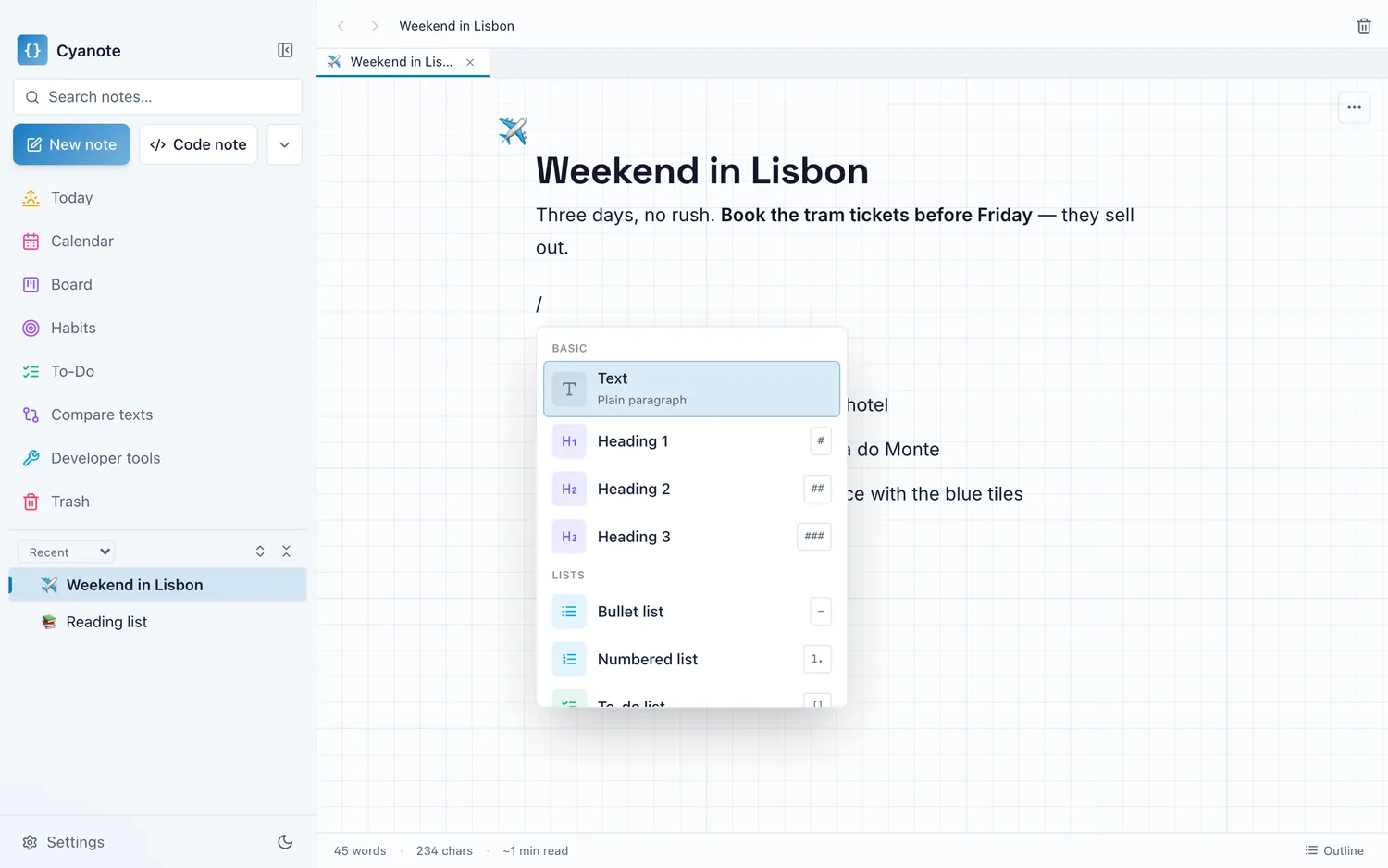
Notes & code notes
Slash commands, tables, sub-pages, wiki-links.
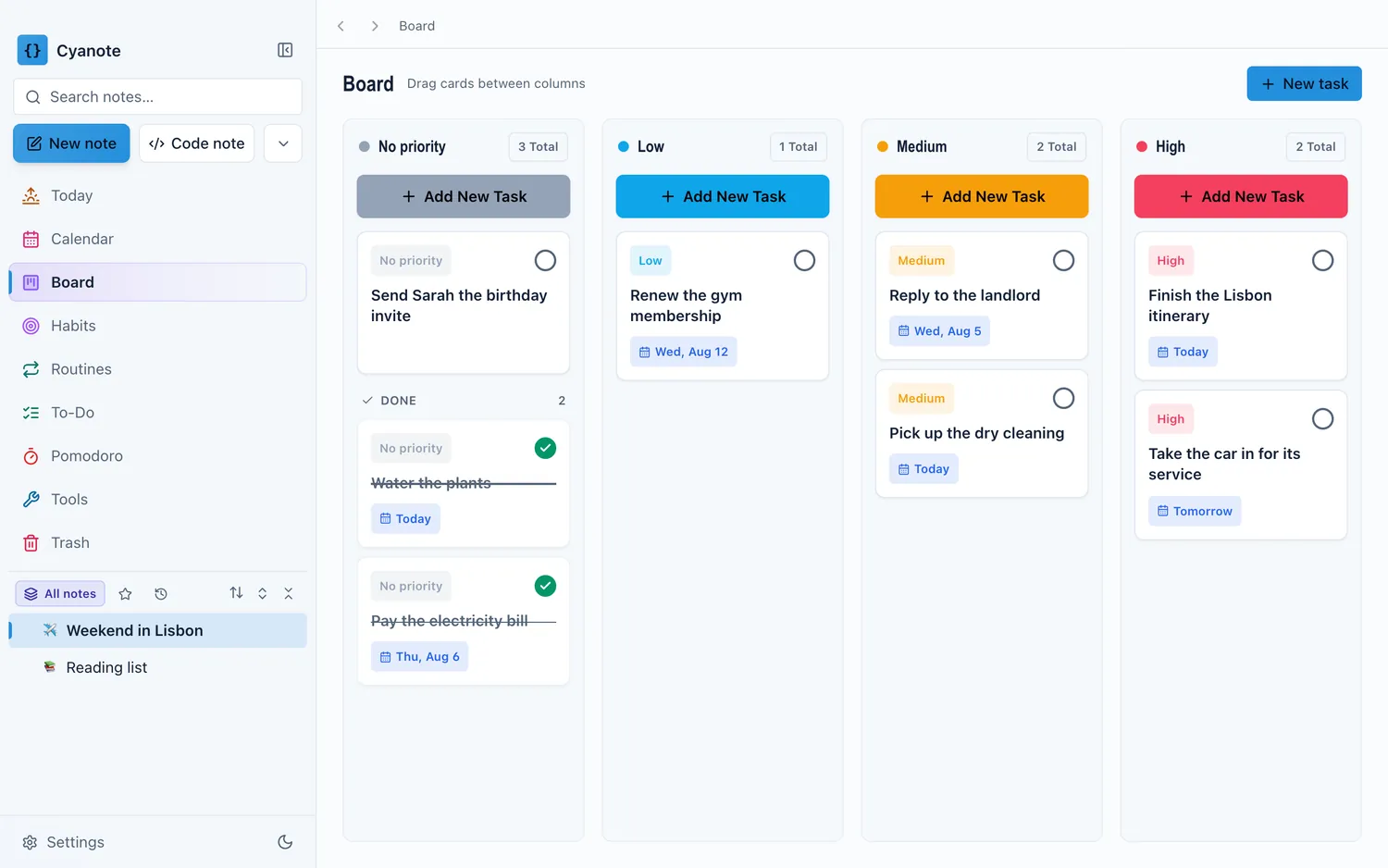
To-dos & board
Priorities, due dates, reminders, Kanban.
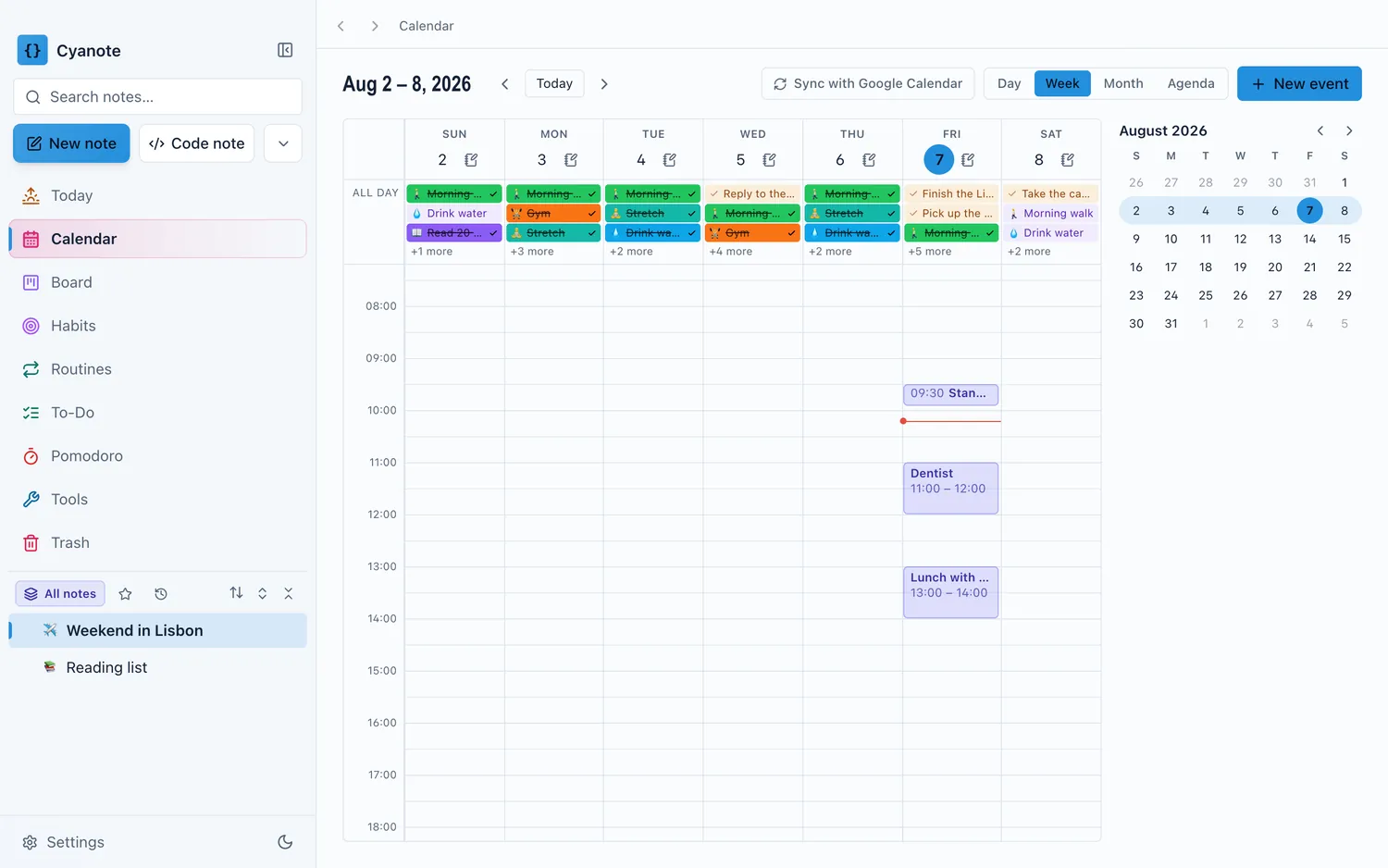
Calendar
What's due, what's next, in one view.
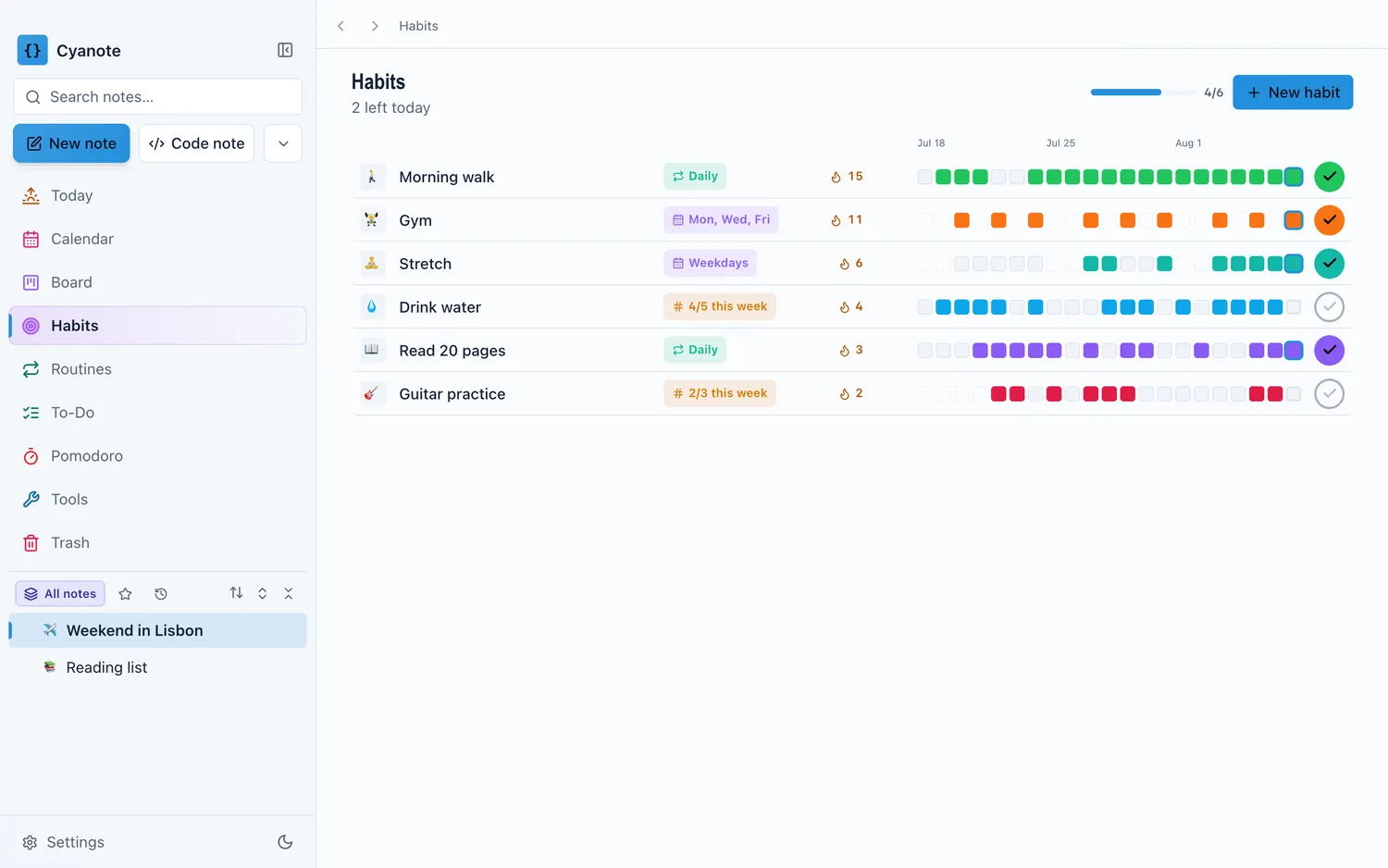
Habits
Streaks that actually stick.
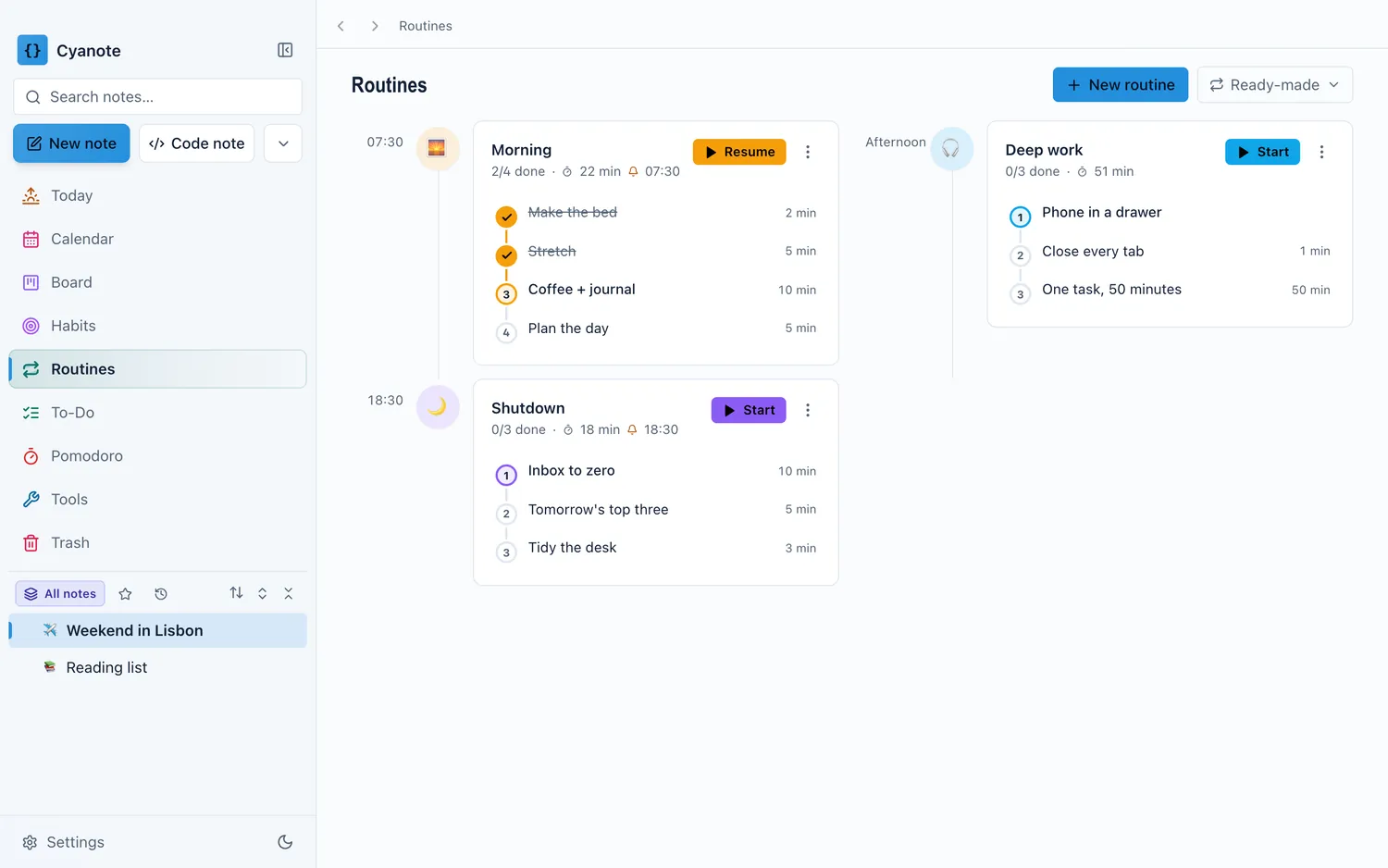
Routines & Pomodoro
Timed checklists and a focus timer.
Clipboard manager
Every copy kept, a hotkey away.
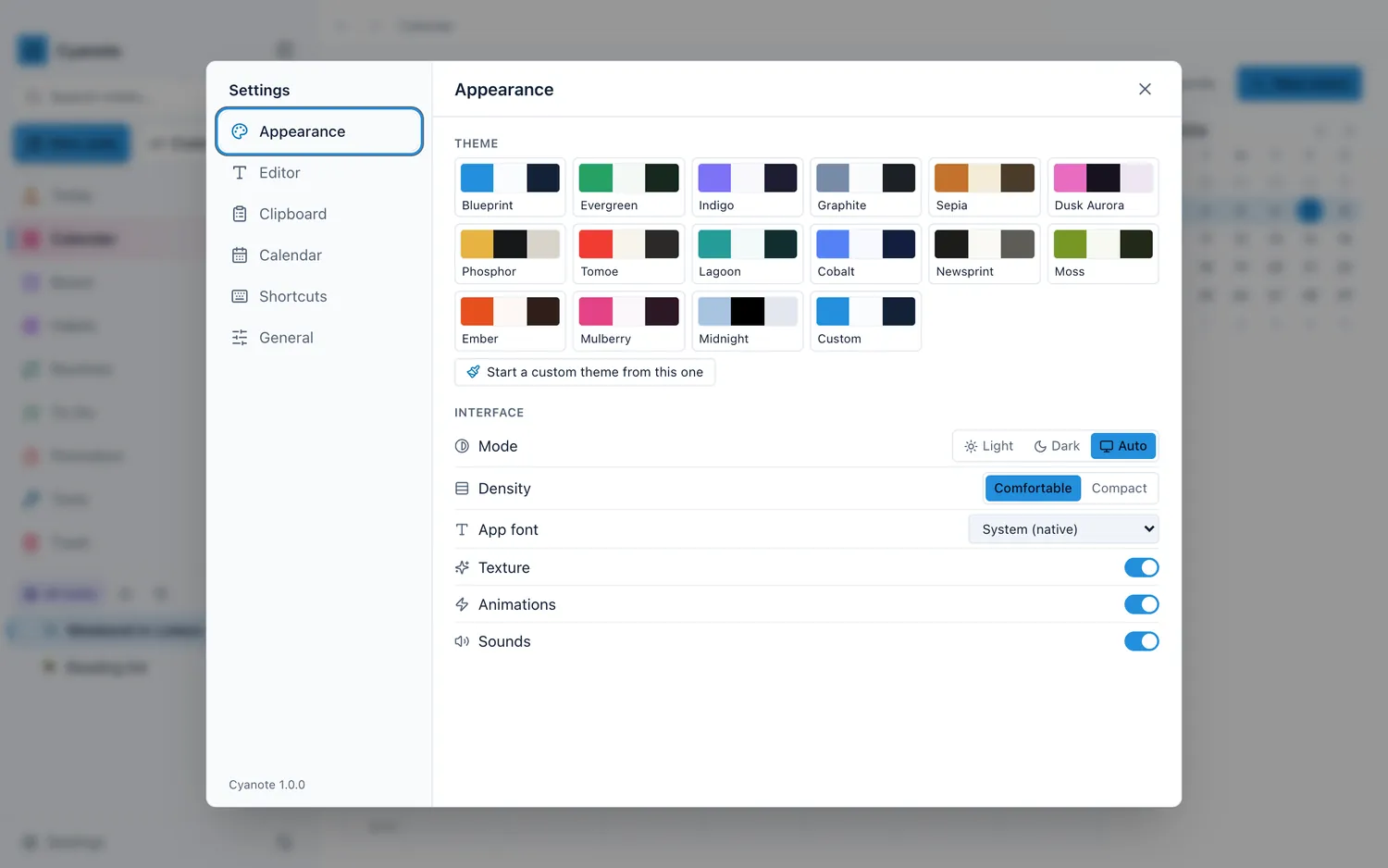
Themes & typography
Fifteen themes, or build your own.
Instant search
Full-text across every note, ranked.
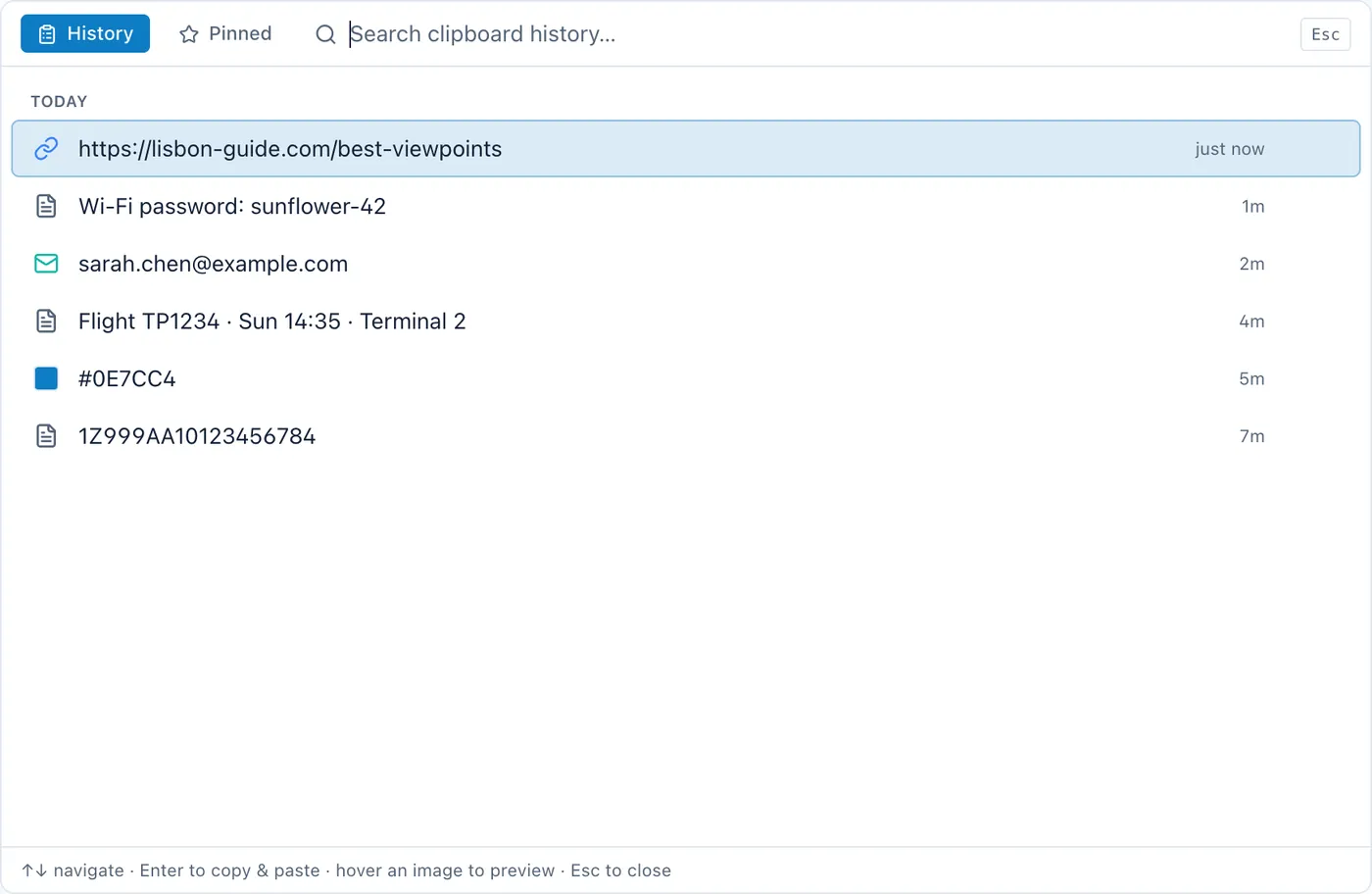
A clipboard manager that remembers.
Every copy kept in a searchable history, open from any app with one global hotkey.
More about the clipboard manager, including how it compares to Paste, Maccy and Raycast.
Every view, in one window.
No demo account, no onboarding tour. This is the app.
Coming from something else?
What you would be leaving, and what Cyanote adds.
| If you use | It costs | What Cyanote adds |
|---|---|---|
| Paste | $29.99/yr, or $89.99 once | Notes, to-dos, a calendar and habits in the same window as the clipboard |
| Notion | Free for one person | Opens instantly, works offline, needs no account — and has a clipboard manager |
| NotePlan | $12/mo, or $99/yr | The same shape of app, bought once instead of rented |
| Lunatask | $6/mo annually, or $300 once | A clipboard manager, and nothing to sign in to |
Prices checked 13 August 2026. Obsidian, Maccy and Things 3 are on the full comparison page, along with the cases where one of these is the better buy — several of them are.
Pay once. Yours forever.
No subscription, no trial clock, no upsell.
- Every feature — notes, tasks, board, calendar, habits, routines, Pomodoro, clipboard
- Free updates for life
- Works offline, stays on your computer
- Mac now, Windows when ready — one purchase covers both
Secure checkout via Lemon Squeezy · macOS 12+ (Apple Silicon & Intel), notarized by Apple
The Mac version is on sale now. When Windows ships, the same $4.99 covers it — nothing more to pay.
Open this page on your Mac to buy — a licence key is no use without a Mac to run it on.
Windows coming soon
Everything the $4.99 includes — and what it does not.
Common questions about Cyanote
How do I get it after paying?
A download link appears as soon as checkout completes, and the same link arrives by email along with your licence key. Open the disk image, drag Cyanote to your Applications folder, launch it, and paste the key once when it asks. That is the whole setup: there is no account to create, no email address to verify, and no password to choose. The key is checked on that first launch and never again, so the app keeps working on a machine that is offline, on a machine that never sees the internet again, and on the day this website stops existing. If you lose the key it is still in your checkout email, and if you lose the email, one message to support gets it back. The same $4.99 licence covers every future update.
Where is my data stored?
On your own Mac, in a single SQLite database file kept under ~/Library/Application Support/. There is nowhere else for it to go: Cyanote has no account system, no sync service, no analytics and no telemetry, so nothing you write is uploaded anywhere. The only time the app talks to the network at all is when it checks whether a new version exists. You can move that database file to any folder you like — an external drive, or a folder your own backup tool already watches — and Cyanote will keep using it there. Individual notes can be locked with a password, and a locked note's plaintext is not left behind in freed database pages. Because it is one ordinary file in an ordinary folder, Time Machine already backs your notes up without being told to.
Which computers is it for?
Macs running macOS 12 (Monterey) or newer. Cyanote ships as a universal binary, so it runs natively on both Apple Silicon and Intel Macs — no Rosetta, and no choosing between two downloads. It is signed and notarized by Apple, so Gatekeeper opens it without the unidentified-developer warning that unsigned downloads trigger. It is a desktop app: there is no iPhone or iPad version and nothing to log into in a browser. A Windows build exists and is in testing; it is not on sale yet, and when it ships the same $4.99 licence covers it, so buying today does not mean buying twice. Cyanote is not on the Mac App Store — it is sold directly, which is part of what makes a one-time price and a no-account design possible.
Is there a free trial?
No, and deliberately not. What there is instead is a fourteen-day refund: buy it, use it properly, and if it is not for you, one email gets your $4.99 back — no reason required, no proof that you uninstalled it, no form. That is a better deal than a trial for the same reason it is a worse funnel: a trial asks you to evaluate an app in the fortnight you happen to have free, against a clock, whereas a refund lets you use it the way you would actually use it and decide afterwards. The refund window is the same whether you ask on day one or day fourteen, and asking for one does not cost you the updates you already downloaded.
Does it sync between my Macs, or to my phone?
No. Cyanote has no sync service, and this is the direct cost of the design rather than a feature waiting to be built: sync needs a server, a server needs an account, and an account is the thing this app is built not to have. Your notes live in one SQLite file on one Mac. If you want that file on a second Mac, you can put it in a folder that iCloud Drive, Dropbox or Syncthing already watches and point Cyanote at it there — that works, but it is your sync setup and your conflict risk, not a supported feature, so do not run it in both places at once. There is no iPhone or iPad app and none is planned. If reading your notes on a phone is something you need, Cyanote is the wrong app and Apple Notes or Obsidian will serve you better.
How is it different from Notion, Paste or Apple Notes?
Against Notion: Cyanote opens instantly, works with the wifi off, needs no account, and includes a clipboard manager — Notion is more powerful, collaborative and cross-platform, and free for one person, so if you work with other people it wins outright. Against Paste and the other Mac clipboard managers: several are better at being a clipboard manager alone and several cost less, but none of them holds your notes, to-dos, calendar and habits in the same window. Against Apple Notes: Cyanote adds tasks, a board, a calendar, habits, routines and clipboard history, and stores everything in one file you can move; Apple Notes is free, syncs to your phone and is already installed. Each of these is argued at length, with prices and with the cases where the other app is the better buy, on the comparison pages.
Still wondering something? Email support@cyanote.app.
Get your week into one app.
$4.99 once. Everything after that is free.
$4.99 once, on Mac today. The Windows build is in testing.
$4.99 once, on your Mac. Everything after that is free.