Most "Notion alternative" posts are written by people who never liked Notion. That is not a useful review, because the thing they are describing was built for someone else and works.
Notion is very good at a specific job: a shared, structured workspace where a page can also be a database, several people can be in it, and the whole thing is reachable from any browser on earth. Nothing local-first does that, and nothing will, because the properties are in direct opposition.
So the question is not which is better. It is whether you are using the part of Notion that costs you the things it costs you.
What Notion is genuinely good at
Worth listing before the criticism, because these are real and a local app has no answer to any of them.
Databases-as-pages. A table that is also a board that is also a calendar, with the same rows underneath, filtered and grouped per view. This is the actual product, and it has no equivalent in a notes app.
Several people in the same document. Comments, mentions, permissions, a shared source of truth for a team of nine. If your notes are how a group coordinates, this is the whole requirement.
Any device, no install. A browser is the client. Someone with a Chromebook and someone with an iPad are equally full participants.
Templates that are systems. Not a starting shape for a note — a whole tracker someone else designed, duplicated into your workspace in one click.
If two or more of those describe why you opened Notion this morning, the rest of this post is not for you, and switching would be a downgrade.
What it costs
Also real, also worth stating plainly.
It opens at the speed of your connection. Every page load is a request. On a good day this is fine. On a hotel network it is a spinner where your notes should be, and that delay is not neutral. It decides whether a passing thought gets written down.
Offline is a fallback, not a mode. There is offline support, and it is genuinely better than it was. It is still a cache of a workspace whose truth lives elsewhere, which means the honest version of the wifi-off test will show you edges: pages you have not opened, search that behaves differently, attachments that were URLs.
Your writing is on somebody's servers, tied to an account. For a team workspace this is the point and not a complaint. For a private journal, client notes under NDA, or anything you would rather not have restored to a future device, it is a decision you should have made deliberately.
Structure grows whether or not you asked it to. Databases invite properties. Properties invite filling them in. A capture that started as "write down the thing" becomes a small form with a status field, and the tax lands at exactly the moment that has to stay cheap.
Getting out is work. Export exists — Markdown, HTML, CSV — and it produces something real. What it does not produce is your workspace: the database views, the relations between tables, the rollups. The prose comes out. The structure, which is what you spent the time building, largely does not.
The question that decides it
Not "is Notion good," which it is. The question is: are you the workspace, or are you a person with notes?
A lot of individual Notion users are running a single-player instance of a multiplayer product. They have one workspace, no collaborators, four databases they built in an enthusiastic weekend, and a daily usage pattern that is: open a page, write a paragraph, close it. That usage is served identically by anything with a text editor, and it is paying the full price of the architecture — the load time, the account, the connection — for features nobody in the workspace is using.
If you have collaborators, or genuinely rely on the database views, stay. If you are one person writing paragraphs, you are paying for a team product with no team.
What a local app can actually replace
Being specific, because vagueness here is how people end up disappointed.
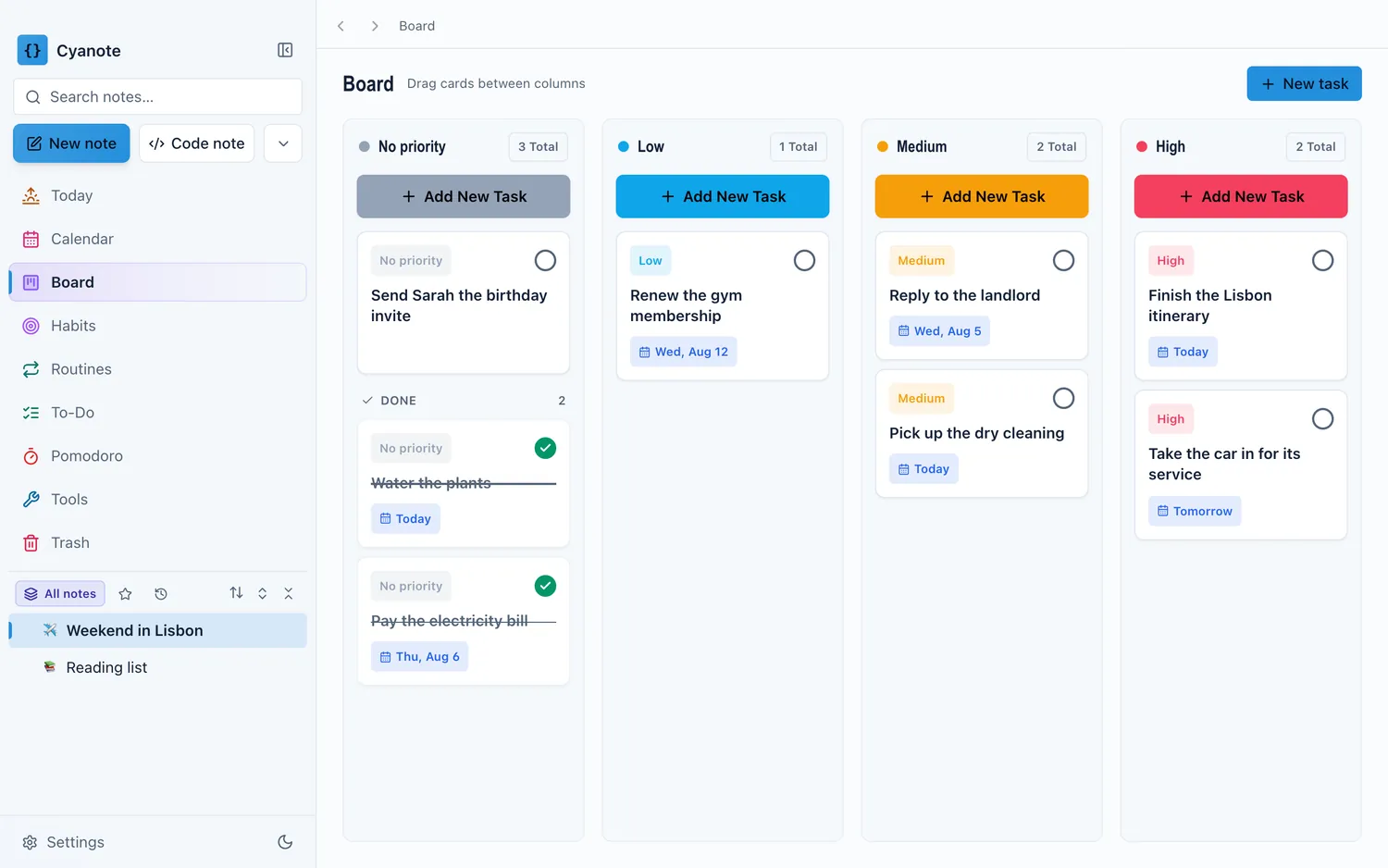
Replaceable straightforwardly: pages of prose, nested sub-pages, the block editor with headings and lists and callouts and toggles, code blocks, tables inside a document, linking pages to each other and seeing what links back, templates as starting shapes, tasks and a board view of those tasks.
Not replaceable: a database with multiple synced views, relations and rollups between databases, formula properties, sharing a page with a colleague, comments and mentions, access from a browser you do not control, the template gallery ecosystem.
If your Notion is mostly the first list, the switch is a straight upgrade in speed and ownership. If it is genuinely the second, no local app is the answer and I would not sell you one.
How to test it in an afternoon
Do not migrate. Test.
Open your workspace and count the databases you have touched this month. Not built — touched. If the answer is zero or one, the structure is decoration.
Look at your last twenty edits. Were they prose in a page, or property values in a table? That ratio is your answer.
Export the workspace now, whatever you decide. Markdown and CSV, into a folder. Do it today. It costs ten minutes and it means the decision stays yours later, which is the whole point of an export you have actually run rather than one you assume works.
Then, if you are leaving: take the last six months and the pages you actually reference. Leave the rest in Notion, which is not going anywhere on the free tier. Wholesale migration is how people spend a weekend and end up with two half-populated workspaces.
The honest version
Notion at its free tier costs nothing for one person, and "free and good" is a strong position. What it is not is fast, private, or yours, and for a single person writing paragraphs, those three are worth more than a database engine they are not using.
Cyanote covers the first list above and none of the second. A block editor with headings, lists, quotes, tables, tick boxes, images, callouts, toggles and syntax-highlighted code, reachable from a / menu; notes that nest into sub-pages; [[ links with backlinks; templates; tasks in a list or on a board. All of it in one SQLite database on your own computer, with no account and no server, which is why it opens in under a second and does the same thing with the wifi off. There is no collaboration, no browser access, and no phone app. Those are not oversights; they are the other side of the same coin.
If the test above puts you in the "person with notes" camp, the full comparison has the feature table, the prices as they stand, and what moving your notes over actually involves.